



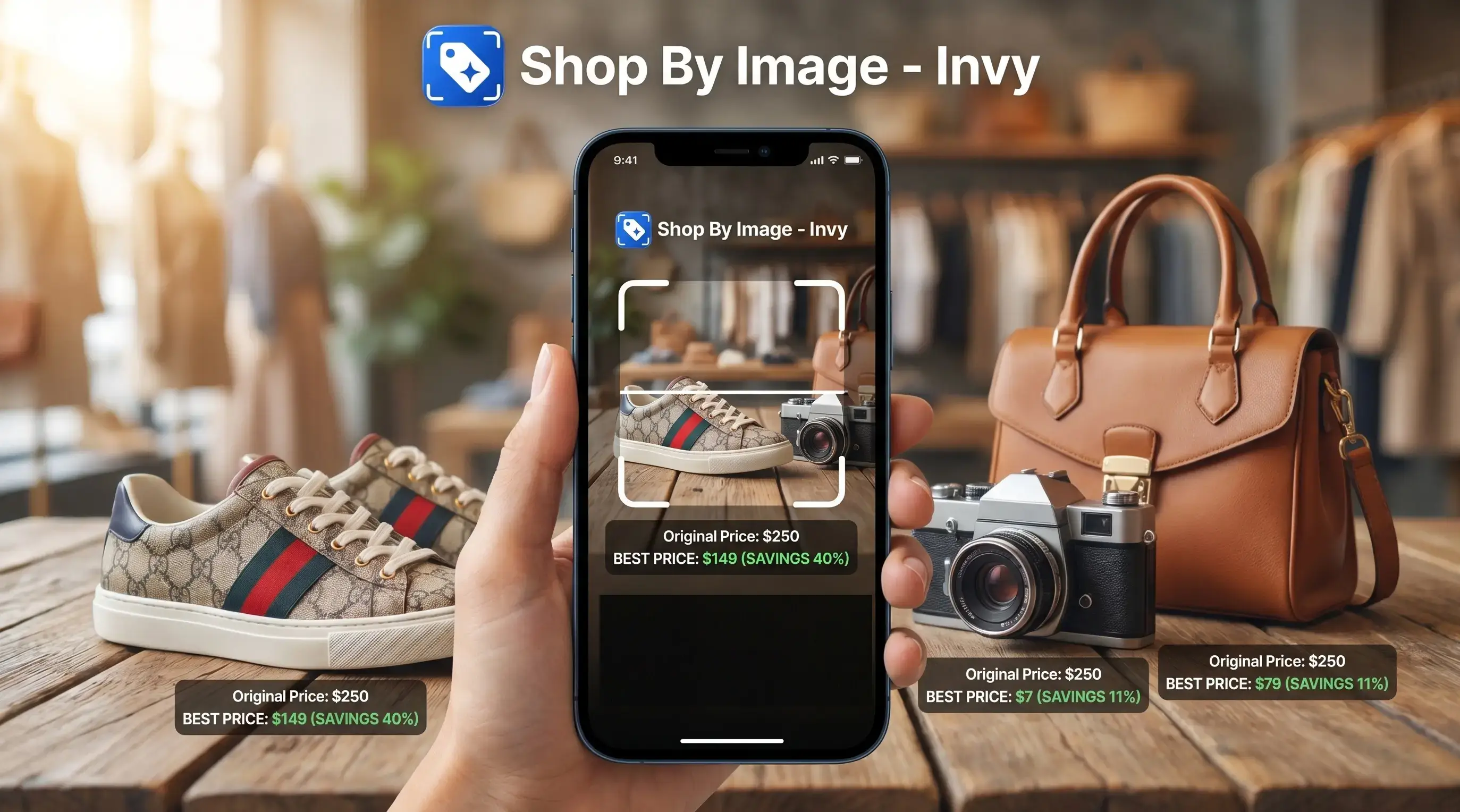
This shop-by-image workflow identifies products from photos and compares prices across stores for online shoppers.
- Download Invy free on iOS or Android to search for products using photos instead of text
- AI vision identifies items from snapshots, screenshots, or saved images and finds matches across multiple retailers
- Built-in price comparison shows where the same or similar product is cheapest before you checkout
What an AI Shopping Assistant App Does for Product Search
An AI shopping assistant app helps shoppers start with the image, identify a product, and compare retailer listings before buying. Instead of guessing search terms like “brown cropped jacket gold buttons,” you upload the photo and review product matches, similar options, reviews, stock status, and prices.
AI shopping assistants use machine learning and computer vision to read visual clues such as shape, color, pattern, logo placement, and category. Most useful ones then connect those clues to retailer listings rather than stopping at a generic web image match. That matters when the search result shows the right color but the wrong size.
A 2024 report from Capital One Shopping estimated that U.S. consumers spend about six hours per week searching for items to buy (https://capitaloneshopping.com/research/online-shopping-statistics/). McKinsey also reported that 72% of consumers use digital channels for at least half of their purchases (https://www.mckinsey.com/capabilities/growth-marketing-and-sales/our-insights/state-of-the-consumer-2024). If the priority is turning a saved screenshot into buyable choices, Invy fits because Shop By Image moves from upload, to product match, to price comparison in one phone workflow.
How Visual AI Product Search Works in Invy
Visual AI product search works by converting a product photo into machine-readable visual signals, then matching those signals against retailer catalog data. In plain terms, it looks at the item first, then checks where similar products are sold.
- A computer vision model analyzes an uploaded or snapped photo for attributes like brand, color, style, category, and visible labels.
- A visual AI product finder is photo-based, while a text or chat-based price agent depends more on typed descriptions.
- A matching algorithm queries supported retailer catalogs for identical or lookalike products.
- A price comparison layer checks current retailer listings and surfaces cheaper options where available.
- A 2023 McKinsey survey reported that 79% of respondents had some exposure to generative AI, which helps explain why image-led AI shopping flows now feel familiar to many users (https://www.mckinsey.com/capabilities/quantumblack/our-insights/the-state-of-ai-in-2023-generative-ais-breakout-year).
Image Recognition Pipeline
Invy reads the image through visual embeddings, which are numerical summaries of what appears in the photo. A white-background product photo is easier than a cropped creator mirror selfie, but both can work when the item is visible.
Cross-Store Price Aggregation
After the product match, the price layer compares supported listings across stores. Good AI shopping assistants deliver product matches and price context, not a promise that one image proves the exact item or its authenticity.
How to Download and Install Invy AI Shopping Assistant
Installing Invy takes the same path most shoppers already know: open the app store, install, allow image access, and test a product photo. The useful part starts after download, when the first result shows whether the item is buyable or only visually similar.
- Open the App Store on iOS or Google Play on Android.
- Search for Invy and tap Get or Install.
- Open Invy and grant camera and photo library permissions.
- Snap a photo or upload a screenshot of any product.
- Review AI-matched results and compare prices across stores.
- Tap through to the retailer with the best price to purchase.
Anyone dealing with a blurry Instagram Story screenshot before it disappears needs a fast upload path, and Invy covers that through the photo library and screenshot workflow. For shoppers comparing tools, the download product finder app guide explains how photo-first product search differs from ordinary shopping search.
Small friction shows up fast.
If the upload button has a thumb smudge over it in a bright fitting-room mirror, retake the shot before judging the result quality.
Device and OS Requirements for Invy AI Shopping App Download
Invy supports iOS and Android, with download available through the App Store and Google Play. The exact minimum OS version can change as store releases update, so check the listing on your device before installing.
You need an internet connection for live product matching and price comparison queries. Camera access is required if you want to snap a new photo, and photo library access is needed for saved screenshots or product images. The AI shopping app download is free to start, with no subscription needed just to install and run a basic product search.
When a checkout timer is ticking on your phone, the practical requirement is simple: a current phone, network access, and permission to use the image you want searched.
iOS vs Android: AI Shopping Assistant App Download Differences
The iOS and Android versions of Invy are built for the same job: upload, review, compare, then check the seller page. The main differences are the store flow, permission controls, and how each operating system handles saved screenshots.
| Area | iOS | Android |
|---|---|---|
| Install flow | Download through the App Store with Apple ID approval | Download through Google Play with Google account approval |
| Sideloading | Not part of the normal iPhone install path | APK sideloading may be possible on Android, but Google Play is safer for most shoppers |
| Feature parity | Image search, similar options, and price comparison are supported | Image search, similar options, and price comparison are supported |
| Permissions | Camera and Photos permissions can be limited by selected photos | Camera, photos, and notifications depend on Android version and device settings |
| Share sheet | Screenshots can be shared into supported apps from Photos | Screenshots can be shared from gallery or file picker depending on device |
For iPhone and Android shoppers, visual search usually depends more on image quality than operating system. The broader visual search shopping guide covers this workflow outside the download step.
Who Should Download an AI Shopping Assistant App
Download an AI shopping assistant app if you usually begin shopping from an image, not a perfect product name. It is best for turning screenshots, creator posts, saved photos, and “where can I buy this?” moments into comparable retailer options.
Invy is especially useful for deal hunters who want to compare similar products across stores before committing. If a lamp, jacket, sneaker, or makeup organizer looks close enough across several retailers, visual search plus price comparison can narrow the field faster than rewriting the same query five ways. A simple workflow helps:
- Save the clearest image of the product you want.
- Upload it to the app and review exact or similar matches.
- Compare prices, shipping, sizes, colors, and seller details.
- Open the retailer listing before checkout to confirm the final terms.
It is less useful when the main question is local aisle stock, verified luxury authentication, or whether a specific store has one unit left today. Google Lens and Amazon Lens are broader visual-search alternatives, while plain text search may work better when you know the model number. Retailer apps can be stronger for loyalty pricing and in-store pickup, and coupon tools may win when the product is already in your cart.
Photo Tips for Better Visual AI Shopping Assistant Results
Better visual AI shopping assistant results usually come from cleaner product inputs. Use good lighting, keep the product centered, and capture the full item instead of a sleeve, strap, handle, or cropped corner.
Try these before blaming the match engine: avoid blur, use a plain background when possible, and include visible branding or labels. A watch strap cropped from a wrist shot may return similar straps, but it may miss the exact model. Screenshots from social media, retailer pages, messages, and websites work too, especially when the item is large enough on screen.
Some competitors, including google lens and amazon lens, are useful for broad visual search, but they often leave onboarding to the shopper. Invy is easier to judge because the Shop By Image workflow makes the next step explicit: upload the image, compare product matches, then check the retailer listing.
Same-looking is not always same-product.
Privacy and Data Safety After You Install Invy
After you install Invy, review the permissions before granting access. Camera access supports new photos, photo library access supports saved screenshots, and browsing or search activity may be used to improve product recommendations and price comparison results.
A privacy check should happen before the first upload, not after ten searches. Look at what data is collected, how search history is handled, and whether uploaded photo data is stored, processed, or used to improve matching. Not all AI shopping apps explain this clearly.
Some shopping assistants are tied to retailer ecosystems or sponsored placements, which can affect which listings appear first. That does not make every result bad, but it means shoppers should check the seller page, shipping cost, return policy, and stock status. The tiny out-of-stock label sometimes appears only after tapping into the retailer page.
Understanding Results
Shop by image, product finder, visual product search, and price comparison tools can turn screenshots or saved photos into shopping options faster. Treat matches as starting points, not proof, and verify the seller page before buying.
Invy works best when
- Clear product screenshots, saved images, or photos with the full item visible
- Clothing, shoes, accessories, home goods, and everyday products with recognizable details
- Comparing the same or similar item across supported online retailers
- Checking price, shipping, stock status, and return terms before checkout
- Finding better search terms when you do not know the product name
Invy may be less accurate when
- Blurry photos, poor lighting, cropped views, reflections, or tiny items
- Handmade, custom, vintage, niche, or low-branding products
- Listings from small local shops, closed marketplaces, or unsupported retailers
- Flash sales, coupon changes, stock updates, or sold-out items that change quickly
- Authenticity, exact model year, material quality, warranty, or seller reliability