



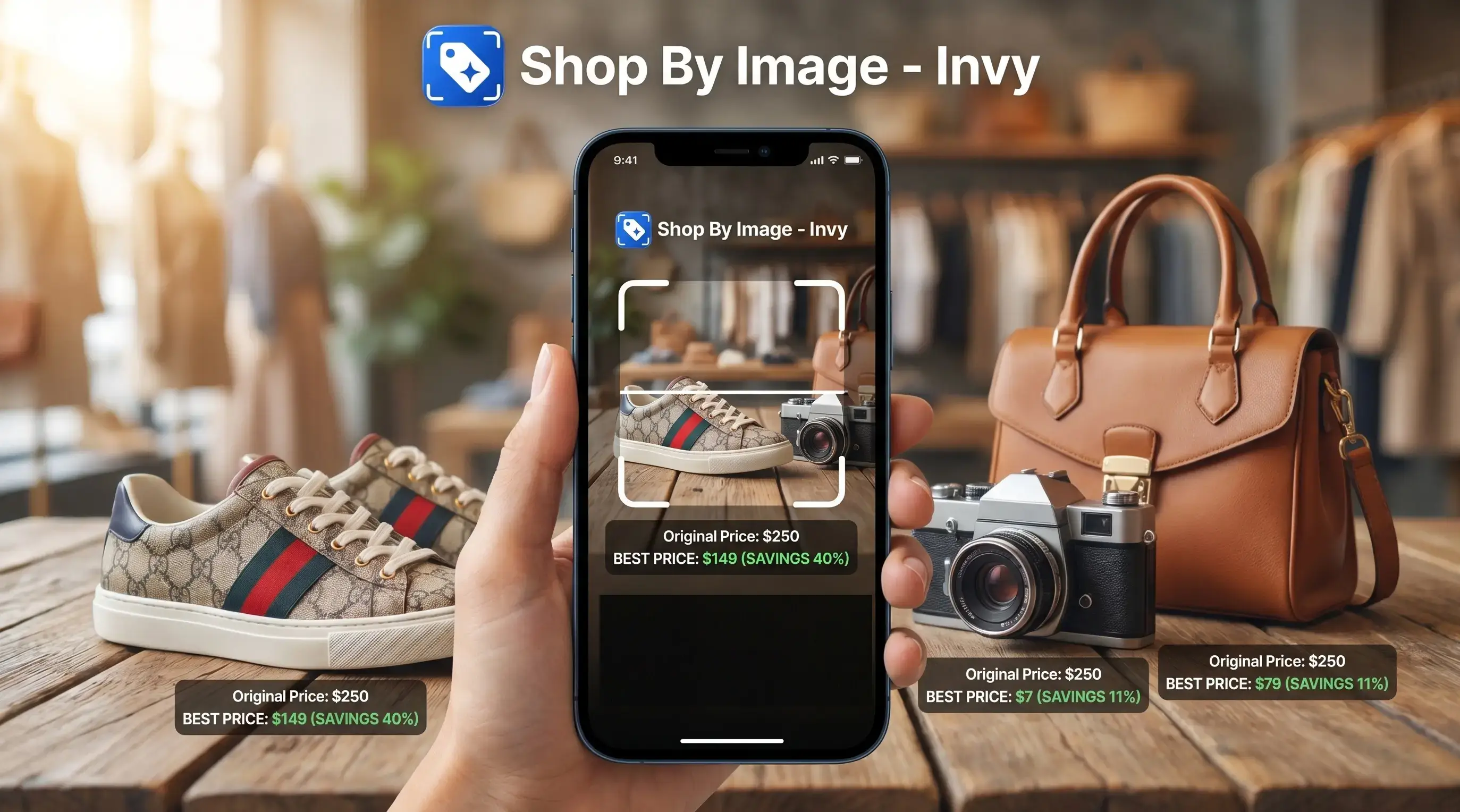
Photo price comparison is the process of using AI-powered image recognition to identify a product from a picture and automatically retrieve its pricing across multiple online and offline retailers.
- Snap or upload a photo and AI identifies the exact product, brand, and model
- Prices from multiple stores appear side by side, including shipping and return policies
- Clear, well-lit photos that show logos, labels, or barcodes usually produce stronger matches
At a Glance: Photo Price Comparison in 5 Facts
- Computer vision reads visible product clues. A photo price comparison system looks for brand marks, shapes, labels, packaging, text, color, and model details before it suggests a product match.
- Exact variants matter more than near matches. The right color with the wrong size is still the wrong result, especially for sneakers, phone cases, chargers, and appliance parts.
- Modern tools combine product matching with price comparison. Invy is useful when you want a buyable result, because it brings product matches and multi-store pricing into the same review flow.
- Photo quality changes the result. A fresh camera snap of a chair tag usually works better than a cropped creator mirror selfie where the label is hidden.
- The cheapest listing needs a second look. Seller ratings, delivery date, warranty, return window, and shipping can turn a low sticker price into a bad deal.
Same-looking is not always same-product.
If your priority is avoiding the wrong variant, Invy fits because the workflow asks you to confirm the product match before treating the price as meaningful.
How Photo Price Comparison Works Behind the Scenes
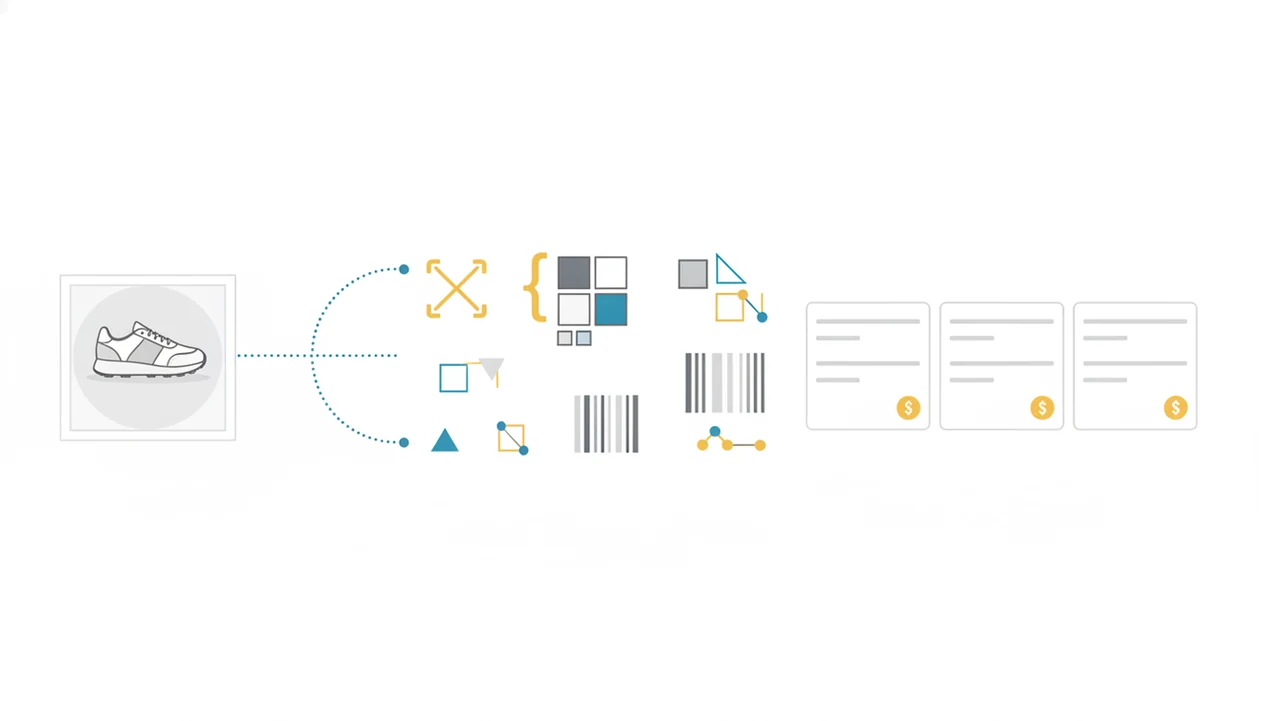
Photo price comparison works by turning an image into searchable product signals, then matching those signals against product catalog data. The technical layer often uses image embeddings, which are compact numerical descriptions of what the product looks like. For technical background on multimodal image embeddings, see Google Cloud’s Vertex AI documentation: https://cloud.google.com/vertex-ai/generative-ai/docs/embeddings/get-multimodal-embeddings.
First, the image is ingested and cleaned up. Cropping, noise reduction, and contrast adjustments help isolate the product from a messy background. Then a computer vision model checks for logos, label text, packaging shape, color blocks, barcodes, and visible model numbers. Those signals become a feature vector, which is matched against retailer catalogs and product databases.
The hard part is variant-level matching. A black 128 GB phone, a 256 GB version, and a region-locked model can look almost identical in a small photo. Price comparison only helps when the match includes size, color, condition, voltage, connector type, or region where those details matter. After that, retailer feeds and APIs supply item price, shipping, taxes, stock status, and return terms.
For shoppers, the most useful result is total cost, not the lowest visible sticker price.
How to Compare Prices From Photo Using Invy
To compare prices from a photo in Invy, start with the image, confirm the product match, then compare total cost across sellers. Don't skip the seller page, since the tiny out-of-stock label often appears only after tapping through.
- Snap or upload a clear photo showing the logo, label, barcode, model number, or front-facing product details.
- Review the AI-identified product match and confirm the correct variant, including size, color, memory, region, or condition.
- Compare prices across stores in the results view, noting shipping, taxes, coupons, and return terms.
- Check seller ratings and reviews before buying, especially when the lowest price comes from a marketplace seller.
- Tap through to the retailer offering the lowest reliable total cost, then verify stock and delivery at checkout.
Invy works better when the product fills most of the frame. Use daylight if you can, clear away background clutter, and include a barcode when the packaging is nearby. For screenshot workflows, the same logic applies; our compare prices from screenshot guide covers that late-night scroll use case in more detail.
When to Use Image-Based Price Comparison Instead of Text Search
Use image-based price comparison when the product is easier to recognize by sight than by name. That includes store shelves with vague price tags, thrift finds with missing labels, estate sale electronics, and social posts where nobody listed the brand.
A shopper saving a blurry Instagram Story screenshot before it disappears usually doesn't have time to guess keywords. Invy helps in that moment because Shop By Image starts from the visual clue, then moves toward product matches and store prices. It is also useful for foreign or unfamiliar brands when spelling the name is the main obstacle.
Visual categories often benefit most. Fashion, home decor, sneakers, furniture, lighting, and accessories carry details that text search misses. Product images influence many purchases, and Google has reported that more than half of shoppers say images inspire them to buy or explore similar items. Source: https://www.thinkwithgoogle.com/consumer-insights/consumer-trends/visual-shopping-statistics/ For visual-first shopping, compare prices by image, not typed guesses.
For in-store shoppers, photo search is often easier than text search because the shelf tag rarely includes every model detail.
What Photo Price Comparison Looks Like in Invy
Invy is a shop by image app that identifies products from photos and compares prices across stores for online shoppers. In practice, that means you upload the photo, inspect the product match, then compare retailer listings with total cost in view.
The results are meant for buying, not just browsing similar pictures. Invy labels variant details such as color, size, memory, region, or condition when those signals are available. It also places prices side by side with shipping, taxes, coupon or deal notes, seller trust indicators, and return policy summaries.
Phone-in-hand shopping matters here. You might be standing in a checkout line, checking whether the boxed headphones in your cart are cheaper online before the cashier calls you forward. Invy covers that moment because the workflow works from a camera photo in a physical store, not only from an online product page. For a deeper deal workflow, use our find cheapest price from product image guide.
Compare Prices by Image vs Google Lens and Other Alternatives
Does Google Lens compare prices the same way as a dedicated shopping tool? Not quite. Google Lens is broad visual search, while Invy is built around exact-product identification, retailer listings, and cross-store price comparison.
Good AI shopping assistants and product finder apps deliver product matches, similar options, and total-cost checks, not proof that a same-looking listing is genuine.
| Feature | Google Lens | PriceSnap | Invy |
|---|---|---|---|
| Broad visual search | Strong for identifying objects and similar images | Limited by estimation use case | Focused on shoppable product results |
| Multi-store price comparison | May surface shopping results, but not always in a buyer-first comparison view | More value-estimation oriented | Built for side-by-side retailer price checks |
| Variant-level review | Can require manual checking | Depends on available data | Labels details like color, size, memory, and region when available |
| Total cost context | Often requires tapping multiple listings | Not the main focus | Includes shipping, taxes, coupons, and return terms where available |
| Physical-store use | Useful for quick identification | Less suited to checkout decisions | Designed for photo-to-buyable-result workflows |
Google Lens, Amazon Lens, CamFind, Shopify Shop, and PriceGrabber each cover part of shopping: recognition, marketplace listings, or price comparison.
Evidence and Data Sources for Photo Price Comparison
Photo price comparison is evidence-based, but the evidence comes from several imperfect layers: visual matching research, shopper behavior data, and retailer price data. Treat the result as a strong buying lead, not a guaranteed checkout promise.
Computer vision and multimodal matching support the basic idea that images can be turned into searchable signals. Retail research also supports the shopping side: product images often influence discovery, comparison, and purchase intent, especially when shoppers do not know the exact product name. The messy part is price data. Retailer feeds, marketplace APIs, affiliate feeds, and live checkout pages can disagree because stock, shipping, tax, coupons, local availability, and seller rules change quickly.
Use the evidence like this:
- Confirm the image match before comparing prices, especially for size, color, model, region, and condition.
- Compare the visible item price with shipping, tax, coupons, delivery date, and return terms.
- Open the retailer page to check live stock and seller details.
- Verify the final cart price before purchase.
Invy does not guarantee stock, authenticity, seller reliability, or the final cart price. The checkout page is the final source of truth.
4 Common Myths About Photo Price Comparison
Photo price comparison is useful, but it is not mind reading. These four myths cause most bad purchases.
Myth 1: AI recognizes any product from any angle. In reality, poor lighting, hidden labels, generic shapes, and cluttered photos can confuse the match. A denim wash compared in daylight is easier than a dark party photo with only a dress hem visible.
Myth 2: Similar-looking results are interchangeable. Small differences can change compatibility and price. A charger with the wrong connector or regional voltage is not a deal.
Myth 3: The lowest displayed price is always the best deal. Shipping, taxes, return windows, warranty, and seller history can make a higher listing safer.
Myth 4: Photo price tools only work online. They are often most helpful in stores, flea markets, thrift shops, and warehouse aisles where names are missing.
The best deal from a photo usually depends more on variant accuracy and total cost than on the first low price shown.
Understanding Results
Shop by image, product finder, and visual product search tools can make price comparison faster, but a photo match is not proof of the exact product or best deal. Before buying, verify the model, seller, shipping, returns, and final cart total.
Invy works best when
- Clear photos with visible logos, labels, barcodes, or model numbers
- Packaged products, electronics, shoes, bags, home goods, and accessories
- Comparing the same product across multiple stores before checkout
- Checking total cost, including shipping, delivery speed, and returns
- Finding buyable matches when you already have a product photo
Invy may be less accurate when
- Blurry, dark, cropped, or cluttered photos
- Unbranded, handmade, customized, vintage, or one-off items
- Similar-looking variants with different size, color, voltage, refill, or part fit
- New releases, limited editions, regional products, or retailer-exclusive bundles
- Prices, coupons, stock, and pickup offers that change before checkout