
Compare Prices From a Screenshot Before You Buy


Download for iPhone: product finder by image
To compare prices from screenshot, upload the image to a shop-by-image tool, confirm the exact product match, then compare the item across retailers by total cost, variant, availability, and return terms. The key is not just finding a lower sticker price, but proving the listing is the same product or a valid substitute before you buy.
> Invy is a shop by image app that identifies products from photos and compares prices across stores for online shoppers.
For this use case, Invy’s Shop By Image workflow is the relevant feature: you start with the screenshot, review visual product matches, then compare retailer listings before checkout.
- Screenshot price comparison works best when the product image is clear, uncropped, and includes visible brand, model, color, or packaging clues.
- Always compare total landed cost, including shipping, taxes, size, color, condition, availability, and return policy.
- Treat visually similar results as leads, not proof, until you verify the exact SKU or retailer listing.
How compare prices from screenshot before you buys look
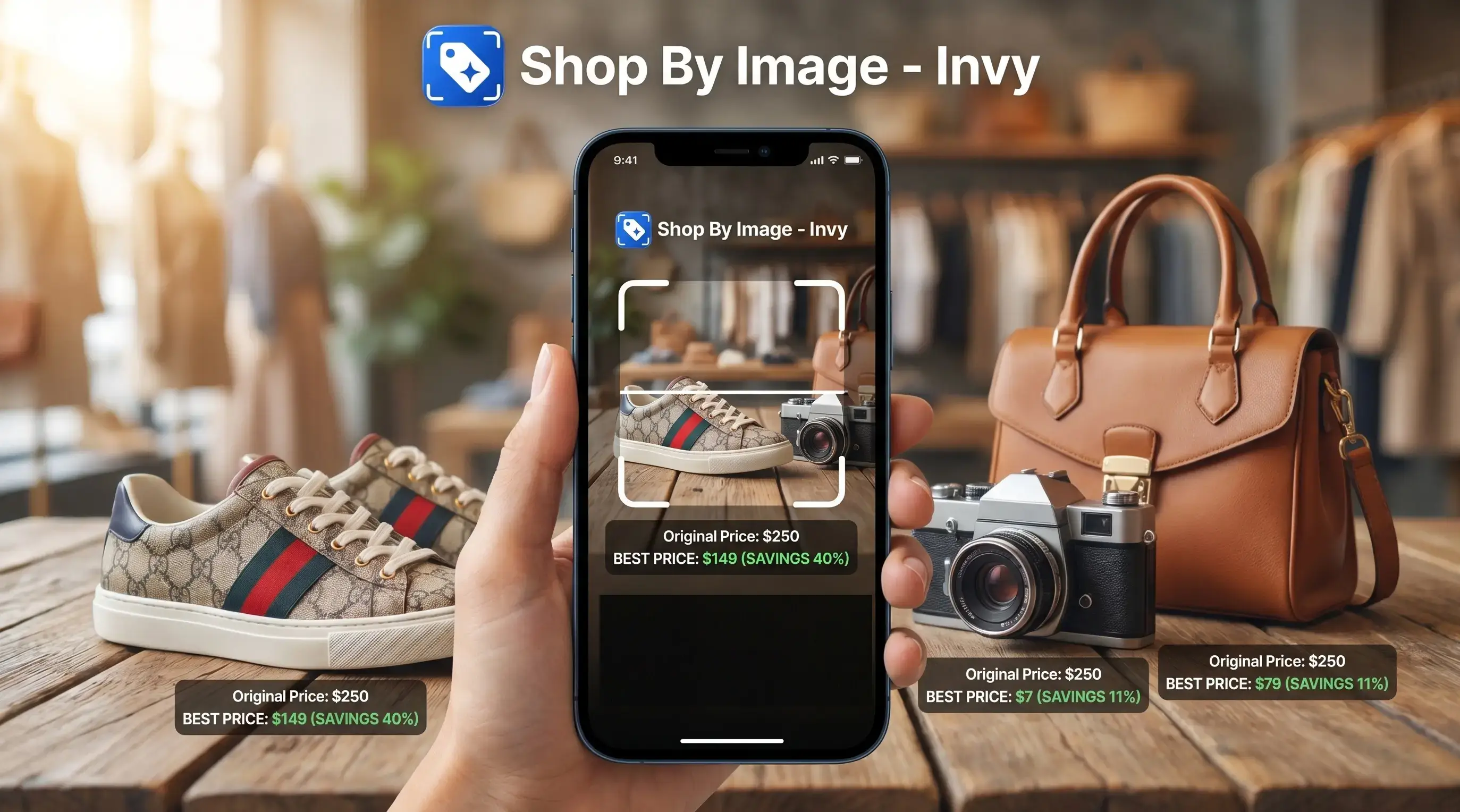
Side-by-side captures of the compared products. Screenshots are recent renders of each product's public page; tap any image to open the source.
Screenshot Price Comparison: What It Means
Screenshot price comparison means using a screenshot of a product, ad, listing, or social post to identify the item and check its price across stores. It is most useful when you don’t know the product name, brand spelling, model number, or exact search terms.
A shopper might save a blurry Instagram Story screenshot before it disappears, then try to find the jacket later. The first job is product matching. The second job is price comparison.
A Google consumer shopping study found that 70% of shoppers said price is one of the first things they consider when buying online, according to Think with Google Thinkwithgoogle reference. That matches what happens in real carts.
Exact-match results point to the same product or SKU. Similar results are substitutes. Same-looking is not always same-product, especially with shoes, electronics, beauty bundles, and replacement parts.
How Screenshot Price Comparison Works
Screenshot price comparison works by reading the image, finding likely product candidates, and pulling retailer listings that may match what is shown. The workflow works because visual recognition can turn a screenshot into searchable signals, then use those signals to compare products without requiring the shopper to know the exact name.
First, the tool analyzes the uploaded screenshot for visual features: shapes, colors, logos, visible text, packaging, and layout. These clues become a kind of image fingerprint, a technical shortcut for “what this product looks like.” Candidate matching then compares that fingerprint with product photos and listing data. A clear logo, readable model number, package front, size label, or variant color can sharply improve accuracy because it narrows the result from “similar black sneaker” to a specific shoe and colorway.
Exact matches are listings for the same product, SKU, bundle, or variant. Visually similar substitute matches only share the look, function, or style. They can be useful when you are flexible, but they should not be priced against exact items as if they are identical. Final price and availability still belong to the retailer checkout page, where taxes, shipping, stock, coupons, and variants are confirmed.
Before You Start: What You Need for Screenshot Price Comparison
Before you compare prices from a screenshot, start with the cleanest image and a clear idea of what counts as a match. The better the screenshot and the stricter your match rules, the less time you’ll waste on lookalikes.
Use a screenshot where the full product is visible if possible, not just a corner, logo, or cropped detail. Keep identifying clues in frame: brand names, model numbers, color names, size labels, package text, listing titles, and variant selectors can all help separate one product from another. A shoe in “sand” may not be the same as “beige,” and a replacement filter with one digit off can be useless.
- Choose the sharpest screenshot available, preferably one that shows the whole item.
- Keep product clues visible instead of cropping away brand, model, color, size, or packaging details.
- Decide whether you need the exact SKU or whether a close substitute is good enough.
- Plan to verify shipping, taxes, return terms, stock, seller reputation, and checkout price by opening the retailer page yourself.
Screenshot Product Matching Tools and Retailer Price Checks
Screenshot product matching works by turning an uploaded image into visual signals, then comparing those signals with product images and retailer listings. The flow is usually: screenshot upload, visual recognition, product candidate matching, retailer result retrieval, then price comparison.
Common visual-shopping alternatives include Google Lens, Amazon Lens, Pinterest Lens, and browser shopping features such as Microsoft Edge Shopping; treat each result as a product lead until the retailer page confirms the exact item.
How screenshot price comparison works: image-search systems use image embeddings, which are numeric summaries of visual features. In plain English, the tool looks for products with similar shapes, colors, logos, text, packaging, and listing context.
Recognition quality controls everything after it. If the tool matches the wrong watch strap from a cropped wrist shot, the lower price is meaningless. A result showing the right color but the wrong size can still look convincing on a phone.
Google has said Google Lens was used to identify more than 10 billion objects and products since launch, which shows how common visual product search has become at scale Google Lens visual search report.
Five Facts About Comparing Product Prices by Screenshot
- A bad product match makes the price comparison unreliable because every retailer result starts from the wrong item.
- Sticker price is not total cost; shipping, taxes, fees, condition, and returns can change the better deal.
- Image search helps when you know what the product looks like but not what to type.
- Similar-looking results may be useful substitutes, but they are not proof of the same SKU.
- Retailer checkout pages should confirm final price, stock status, delivery date, and return terms before purchase.
A screenshot is a shortcut, not a receipt. For shoppers comparing a product on a phone while standing in a checkout line, a fast visual match can prevent an impulse buy, but the retailer page still has the final say.
Five-Step Screenshot Price Comparison Workflow
How to use screenshot price comparison:
- Capture or upload a clear screenshot with the product visible and enough surrounding text to identify it.
- Crop to the product, but keep useful clues such as brand name, color, size, model number, or listing title.
- Review exact and similar matches, then separate likely same-item results from lookalike alternatives.
- Compare prices across retailers by total cost, including shipping, taxes, fees, condition, and stock status.
- Open the retailer page and verify checkout details before treating the result as a real deal.
Smartphone access makes this workflow practical because screenshots are already where people shop. Pew Research Center reported that 95% of U.S. teens had access to a smartphone in 2018 Pew Research image platform study, and mobile shopping has only become more normal since then.
If the starting image is a camera photo rather than a screenshot, the same habit applies. The related workflow for compare prices from photo follows the same upload, review, compare pattern.
Step 1: Prepare a Product Screenshot for Better Price Matches
Use the sharpest screenshot you have, with the full item visible. Keep clues that help the tool and the shopper, including brand name, model number, color, size, listing title, packaging, and visible product labels.
Don’t crop too tightly. A white-background product photo often gives cleaner matching signals than a cropped creator mirror selfie, but the selfie may show scale, fit, or styling details. Keep both if you have them.
Avoid heavy filters, low resolution, glare, hidden angles, and screenshots where the product is partly covered by text. Ads, social posts, marketplace listings, and retailer pages can all be starting points. The better the starting image, the fewer junk matches you’ll need to reject.
Tiny text matters.
Step 2: Validate the Product Match From a Screenshot
“Is this screenshot result the exact product or just something similar?” Check the brand, model name, SKU, color, size, material, pack count, and included accessories before comparing prices.
Visual search tools can return close alternatives, especially when the original screenshot lacks a clear logo or model number. That can be fine for style shopping. A similar black crossbody bag may solve the look you wanted. It is not fine when you need the exact replacement charger, shoe size, appliance filter, or laptop part.
Open multiple candidate listings before deciding. Compare product titles, variant selectors, product photos, and customer-uploaded images. A belt buckle zoomed from a street photo can produce several convincing matches, but only one may have the same finish and width.
For style-first searches, a find cheapest price from product image workflow can help when a substitute is acceptable.
Step 3: Compare Screenshot Product Prices by Total Cost
The lowest sticker price may not be the better deal. Compare the total landed cost and the buying conditions, not just the number shown in search results.
| Retailer | Item match | Sticker price | Shipping | Taxes or fees | Condition | Availability | Return policy | Final check |
|---|---|---|---|---|---|---|---|---|
| Store A | Exact SKU | $48 | Free | Added at checkout | New | In stock | 30 days | Confirm size |
| Store B | Similar item | $39 | $9 | Marketplace fee | New | Limited | Seller-paid return | Check material |
| Store C | Exact model | $44 | $6 | Added at checkout | Open box | Ships next week | Final sale | Avoid if gifting |
Price drop alerts and pricing insights are related tools. Microsoft says some shopping features can scan for lower prices and track price drops, according to its shopping feature guide. Useful, but checkout still decides.
Watch for the tiny out-of-stock label that appears only after tapping into a retailer page. It changes the whole comparison.
Common Screenshot Price Comparison Mistakes
Lookalike matching: A visually similar listing can have a different SKU, material, generation, or bundle. This is the mistake that makes a “deal” expensive.
Fee blindness: Shipping, taxes, marketplace fees, return labels, and restocking charges can erase a lower headline price.
Variant mismatch: Different sizes, colors, conditions, quantities, and generations should not be compared as if they are the same product.
Screenshot trust: A sale banner in an old screenshot may not apply by the time you reach checkout. The cart total glowing before checkout is the real number.
AI overtrust: Good AI shopping assistant and product finder app results help identify products from photos and compare prices across stores to find the best deal, not prove every retailer has the current lowest price.
For store-to-store checks, check if item cheaper online is often easier than manually typing half-remembered product names.
Best-Deal Verification Checklist Before Buying From a Screenshot
Before buying from a screenshot match, confirm the exact retailer product page instead of relying only on search results. Search cards can be stale, incomplete, or tied to a variant you did not choose.
Use this checklist:
- Product title matches the screenshot item.
- Variant, size, color, model number, and pack count match.
- Stock status is visible on the retailer page.
- Delivery date works for your need.
- Return policy and warranty are acceptable.
- Seller reputation looks legitimate on marketplace listings.
- Coupon, price drop, or substitution does not change the product.
- Final checkout price matches the deal you expected.
Tools like Invy can help identify products from screenshots and compare prices across stores, but you still need to open the seller page. For shoppers moving from image match to purchase decision, an app to help me find best deal from photo guide can make the checks easier to repeat.
Understanding Results
Shop by image and screenshot-based product finder tools can help with visual product search and price comparison, but a match is not proof. Before buying, verify the exact retailer listing, variant, total cost, and return terms.
Invy works best when
- Clear, uncropped screenshots with the product centered
- Visible brand, model, color, packaging, or SKU clues
- Checking the same item across multiple retailers
- Comparing total cost, including shipping and taxes
- Finding products when the name or search terms are unknown
Invy may be less accurate when
- Blurry, filtered, cropped, or low-resolution screenshots
- Screenshots that show sale banners without full terms
- Products with many similar variants, sizes, or colors
- Marketplace listings with different bundles or conditions
- Prices that change before checkout or vary by location
FAQ
Can I compare prices from screenshots?
Yes. You can upload a screenshot to a visual shopping or image-search tool, identify the product, then compare retailer listings.
How accurate is screenshot price comparison?
Accuracy depends on screenshot quality, visible product clues, and whether the tool finds the exact SKU. Blurry or cropped images usually produce weaker matches.
Can screenshots find exact products?
Yes, screenshots can find exact products, but exact matches are not guaranteed. Ambiguous images often return similar items instead.
What screenshot details matter most?
Brand, model number, color, size, packaging, listing title, logo, and visible product text matter most. These clues help separate exact matches from lookalikes.
Are similar products safe to compare?
Similar products are useful when you only need the same style or function. Exact matching matters for electronics, shoes, parts, refills, and accessories.
Is the lowest screenshot price always the best deal?
No. Shipping, taxes, condition, availability, return costs, and warranty terms can make a higher sticker price the better deal.
Can I compare prices from a screenshot on Android?
Yes. Android users can upload screenshots to image-search shopping tools or apps such as Invy to find product matches and compare retailer prices.
Can I compare screenshots online without installing an app?
Yes. Some online tools let you upload screenshots and review product matches in a browser, though app workflows may be faster on mobile.
Do screenshot prices stay current?
No. Prices, coupons, and stock status can change quickly, so always confirm the final retailer checkout price before buying.