
Check If an Item Is Cheaper Online Using a Product Photo


Download for iPhone: product finder app
Yes, you can check if item cheaper online by taking a product photo, matching it to online listings, and comparing the real final cost before you buy. The most reliable check compares the exact model, variant, shipping, taxes, delivery speed, returns, and possible in-store price match.
Invy is a shop by image app that identifies products from photos and compares prices across stores for online shoppers.
- A photo-based price check works best when the image clearly shows the product, packaging, model number, color, size, or other variant details.
- The cheapest sticker price is not always the best deal once shipping, taxes, return fees, delivery time, and coupons are included.
- Online prices can differ from in-store prices, and some retailers may match their own online price or a competitor’s price if the listing qualifies.
What “Check If Item Cheaper Online” Means in a Store Aisle
Checking if an item is cheaper online means comparing the same product against online retailer listings before you buy it in person. The shopper’s real question is simple: “is this cheaper online, or should I buy it here?”
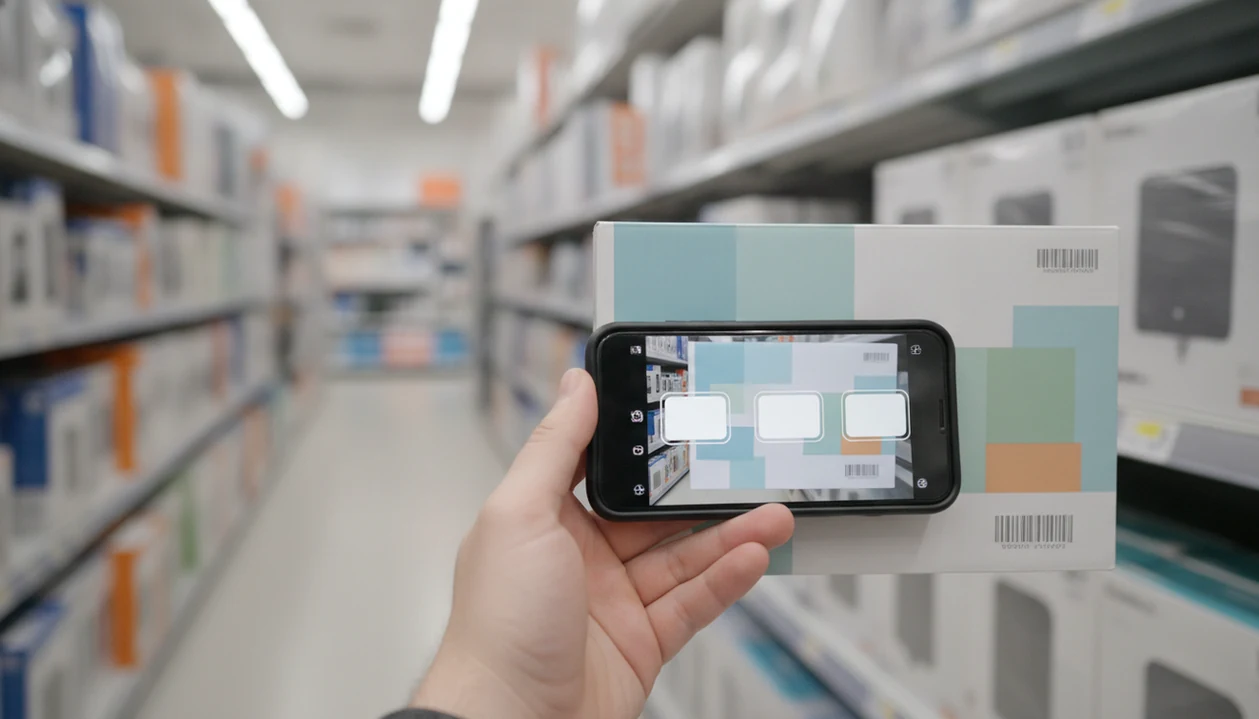
There are three common ways to do it: take a product photo, scan the barcode, or type the product name or model number. A photo helps when the box is in your hand but the name is long. A barcode can be fast. A model number can be more exact.
The goal is exact-product matching, not just finding a similar-looking item. Same-looking is not always same-product, especially with headphones, skincare refills, sneaker colors, appliance bundles, and clothing sizes.
The pocket check is real.
For shoppers comparing at the shelf, exact model matching is usually more useful than broad visual similarity because one wrong variant can erase the savings.
Five Facts About Scanning an Item and Comparing Online Prices
- Barcode scanning, text search, and visual search can all support online price comparison, but each depends on clean product data.
- AI shopping assistants can identify products from photos and compare retailer listings quickly, especially when the image shows labels, packaging, or a model number.
- Online and in-store prices often differ, even at the same retailer; Pew Research Center reported in 2016 that 76% of U.S. adults who bought something online had checked prices or reviews online before buying in a store (https://www.pewresearch.org/internet/2016/12/19/online-shopping-and-e-commerce/).
- Final cost matters more than sticker price because shipping, taxes, delivery timing, return fees, coupons, and price matching can change the winner.
- Comparison results can be incomplete, outdated, or wrong when the product variant is unclear.
NRF reported in 2019 that 65% of shoppers compared prices on a mobile phone while inside a physical store (https://nrf.com/media-center/press-releases/consumers-embrace-mobile-shopping-they-head-stores). That sounds familiar if you’ve stood in a checkout line, phone angled down, checking whether the shelf tag is really a deal.
A good AI shopping assistant and product finder app that identifies products from photos and compares prices across stores to find the best deal should deliver buyable results and clear comparisons, not a promise that every seller and coupon has been checked.
How Photo-Based Online Price Checking Works
Photo-based online price checking works by turning a product image into searchable product attributes, then matching those attributes against retailer listings. The system may use image recognition, image embeddings, text extraction, catalog matching, and price retrieval. In plain terms, it looks at the picture, reads what it can, then checks likely matches.
The data flow usually goes like this: photo capture, product recognition, attribute extraction, catalog matching, and retailer price comparison. Model numbers, package text, labels, color, size, capacity, quantity, and bundle details all improve accuracy. A white-background product photo is easier than a cropped creator mirror selfie where the tag is hidden.
Retailer APIs, structured product data, feeds, and accessible seller pages determine how complete the comparison can be. No tool can honestly claim perfect live coverage of every store. For a deeper workflow, many shoppers start with a dedicated compare prices from photo process after the product is identified.
How to Use a Product Photo for a Price Check From Photo
Use a product photo for a price check from photo by capturing the item clearly, confirming the exact match, and comparing the final cost, not only the lowest visible price.
- Photograph the front of the item, then capture the label, barcode, size, color, and model number if visible.
- Upload the image to a shop-by-image product finder or price comparison app, such as Google Lens, Amazon Lens, PriceGrabber, or another shopping tool.
- Confirm the exact product match by checking brand, model, variant, quantity, bundle contents, and stock status.
- Compare final cost, including shipping, taxes, promo codes, loyalty pricing, pickup options, and delivery date.
- Review return terms, warranty coverage, restocking fees, and whether the seller page shows third-party marketplace conditions.
- Ask customer service about price matching when the online listing qualifies under the store’s policy.
The tiny out-of-stock label often appears only after tapping into the retailer page. Don’t stop at the first low number.
Product Photo vs Barcode vs Text Search for Online Price Comparison
Product photo, barcode, and text search all help identify an item, but they fit different shopping moments. Photo search is useful when the product name is hard to type, or when you only have the item in front of you.
| Method | Best use case | Strengths | Weaknesses |
|---|---|---|---|
| Product photo | Clothing, décor, accessories, unknown product names | Works from packaging, screenshots, and visible design details | Can confuse similar models or miss hidden variants |
| Barcode scan | Packaged goods with a clear UPC or EAN | Often precise for mass-market products | May fail on bundles, private labels, regional items, or retailer-specific SKUs |
| Text search | Electronics, appliances, tools, replacement parts | Strong when you have the model number | Can return many irrelevant listings if the name is broad |
A barcode scan can be precise, but it may point to the wrong pack size or retailer version. Text search works well when you have “WH-1000XM5/B” instead of “black headphones.” If you only have a saved screenshot, a compare prices from screenshot workflow may be faster than retyping the listing title.
Three In-Store Price Check Stories From Shopping Aisles
Maya checks a headphone model
Maya photographs a boxed headphone set before buying it at an electronics store. The online result looks cheaper, but she checks the model suffix and sees the web listing is the same color and warranty. After shipping and tax, online still saves $18. She orders online for pickup.
Jordan compares a jacket size
Jordan sees a jacket marked down in store and asks, “is this cheaper online?” The first result shows the right color but the wrong size. The correct XL listing online costs more after shipping, and the store has a loyalty discount at checkout. The in-store deal wins.
Priya verifies a kitchen appliance bundle
Priya scans a kitchen appliance box and finds a lower online price. Then she notices the store box includes an extra attachment. Customer service confirms the competitor listing qualifies, but only for the base model. A manager applies a smaller price match, and the bundle stays worth buying.
Common Myths About Whether an Item Is Cheaper Online
Online is always cheaper. Store clearance, loyalty prices, manager markdowns, and local promotions can beat online offers. A parking lot price check before buying sometimes confirms the shelf tag was already the better deal.
A photo-based product finder always identifies the exact item. It can be close but wrong. A dress hem visible in a party photo may lead to similar options, not the exact fabric, size range, or retailer listing.
Every retailer matches every online price. Price-match policies often exclude marketplaces, flash sales, used items, damaged packaging, third-party sellers, and limited-time coupon deals.
One shopping assistant checks every seller and coupon. Tools depend on accessible retailer data, current feeds, and available listings. Apps such as PriceGrabber, Google Lens, and Amazon Lens can reduce manual searching, but they still need shopper review.
Similar-looking results are starting points. The buyable result still needs seller, variant, and final cost checks.
Final Cost Checklist Before You Buy Online or In Store
“Is this cheaper online after everything is included?” That is the better question than comparing shelf price against the first web price.
Check product price, shipping, taxes, promo codes, loyalty discounts, delivery time, return window, return shipping, restocking fees, warranty terms, and pickup options. The lowest displayed online price may lose if it arrives late, charges return shipping, or comes from a seller with weak support. Retail e-commerce grew from about 10% of global retail sales in 2017 to over 18% in 2022, according to Statista, so online comparison now affects more everyday purchases (https://www.statista.com/statistics/534123/e-commerce-share-of-retail-sales-worldwide/).
Price-match policies deserve their own look. Many stores exclude marketplaces, flash sales, used items, third-party sellers, screenshots, open-box goods, or listings that are out of stock. If you want a focused shopping flow, a find cheapest price from product image guide can help separate sticker price from real final cost.
For most in-store shoppers, final-cost comparison is safer than chasing the lowest visible online price because fees and return rules often change the outcome.
Understanding Results
Shop by image, product finder, visual product search, and price comparison tools can quickly show whether an item may be cheaper online from a photo. Treat results as a shortlist, then verify the exact listing, final cost, seller, and return terms before buying.
Invy works best when
- Clear photo of the product, box, label, barcode, or model number
- Exact model, color, size, bundle, and quantity are visible
- Comparing final cost with shipping, taxes, coupons, and return fees
- Checking shelf prices against retailer listings before checkout
- Using photo search together with barcode or model number search
Invy may be less accurate when
- Generic, private-label, older, or region-specific products
- Similar-looking variants such as sizes, colors, refills, or bundles
- Bad lighting, angled photos, hidden labels, or redesigned packaging
- Fast-changing prices from coupons, flash sales, low stock, or repricing
- In-store clearance, loyalty pricing, local markdowns, or excluded price-match listings
FAQ
How do I check online prices for an item in a store?
Use a product photo search, barcode scan, or typed model-number search across retailers. Confirm the exact product, then compare final cost before buying.
Can I price check an item from a photo?
Yes, photo-based product matching can identify items and compare online listings when the image is clear. Results are stronger when the photo shows labels, packaging, size, color, or model numbers.
Is barcode scanning more accurate than photo search?
Barcode scanning can be more precise for packaged products with standard UPCs. It can fail on bundles, private labels, regional versions, or retailer-specific SKUs.
Are online prices always cheaper than in-store prices?
No, online prices are not always cheaper than in-store prices. Store-only discounts, clearance, loyalty offers, and local promotions can beat online listings.
Do stores match online prices?
Some retailers match online prices, but rules vary by store. Policies may exclude marketplaces, third-party sellers, flash sales, used items, bundles, or out-of-stock listings.
What does final cost mean when comparing prices?
Final cost means the product price plus taxes, shipping, fees, delivery timing, returns, warranties, and discounts. It is the amount that matters more than the first displayed price.
Can price comparison apps miss cheaper prices?
Yes, price comparison apps can miss cheaper prices. They may not cover every retailer, coupon, blocked site, current promotion, or unclear product variant.
What photo gives the clearest price check results?
The clearest price check photo shows the front, label, barcode, model number, size, color, and packaging in good lighting. A second close-up of the product tag often improves matching.