



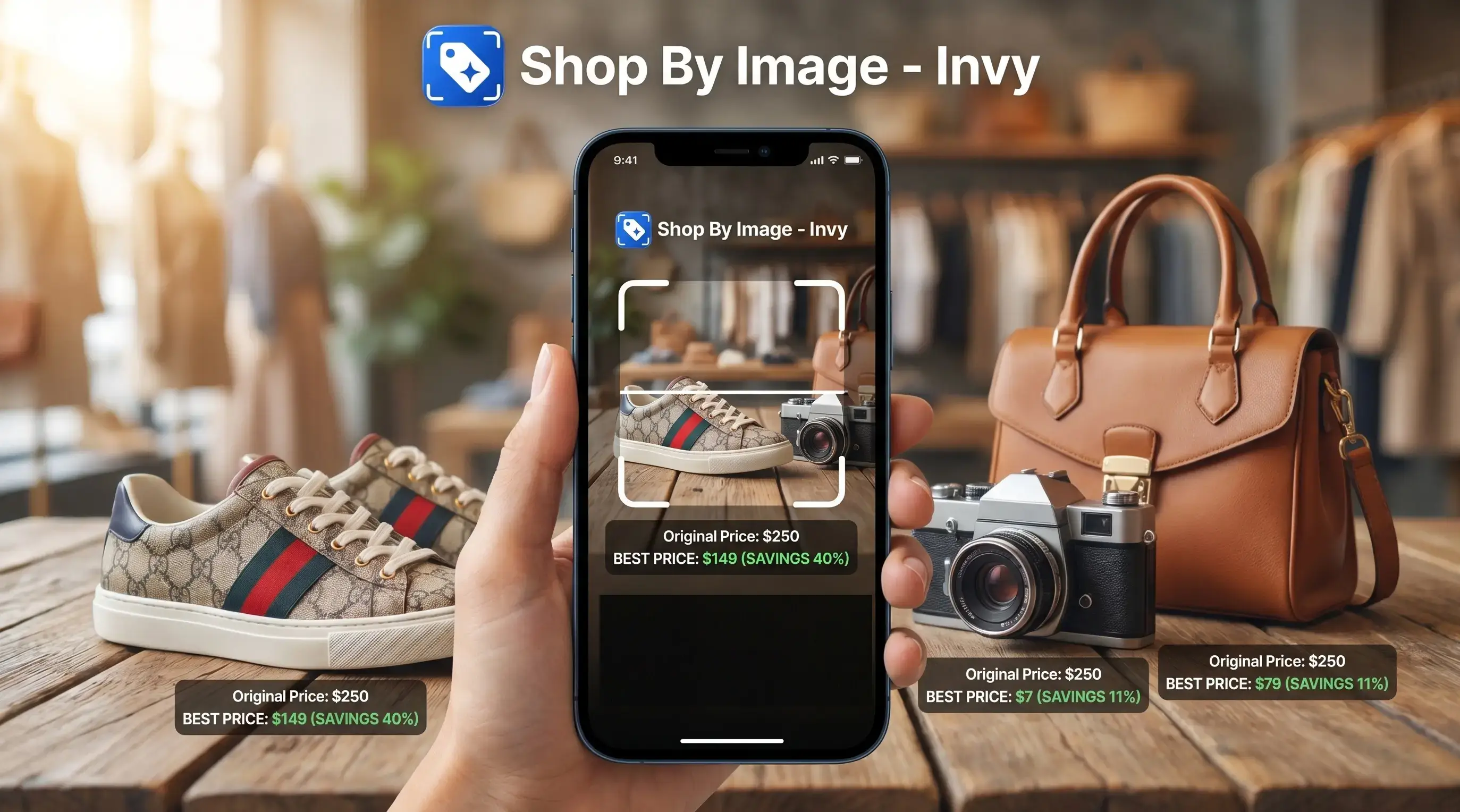
> Definition: Find product by picture is a visual search method where you upload or capture a photo of an item and AI-powered tools identify the product, return exact or similar matches, and link to stores where you can buy it.
Find Product By Picture: 5 Shopper Facts Before You Upload
- AI starts with the object, not your guess at its name. Computer vision detects the main item in the image, then compares its shape, color, texture, and pattern against product catalogs. That matters when you only have a cropped mirror selfie in your camera roll.
- Visual search is already mainstream. Google has said Lens is used for more than 12 billion visual searches per month, which shows how often shoppers now start with an image instead of a typed query (https://blog.google/products/search/google-lens-12-billion-searches/).
- Invy adds the buying step after identification. The right fit for shoppers who want a buyable result is Invy because it connects visual matching with side-by-side price comparison across retailer listings.
- Photo quality changes the result. A bright, single-item image usually beats a cluttered frame. The tiny out-of-stock label still needs checking after you tap into the seller page.
- Some items return lookalikes only. Rare, handmade, vintage, or unbranded pieces may not have an exact catalog match. Similar-looking is not always same-product.
How Find Product By Picture Works
Find product by picture works by detecting the main object in your image, translating it into a visual signature, and comparing that signature with retailer catalogs. The goal is not just to name the item; it is to return buyable matches ranked by visual fit and shopping context.
- Detect the product in the photo. Computer vision first separates the item from the background, looking at shape, color, logos, patterns, texture, and edges.
- Convert the image into visual embeddings. These are compact numeric fingerprints that let the system compare your photo with millions of catalog images without relying on the exact words you would type.
- Match against product listings. Exact matches are the same product when enough signals line up. Close matches may share the brand, style, or model family. Visual lookalikes only resemble the item and may differ in material, size, or seller.
- Rank retailer results. Retailer feeds add price, stock, shipping, seller, and availability context, so the best-looking match is weighed against whether you can actually buy it.
- Use photo quality as a confidence signal. Clear, well-lit, single-item photos improve confidence. Clutter, blur, filters, and cropped-off details lower match quality.
Visual Product Search Technology: AI Matching Behind The Scenes
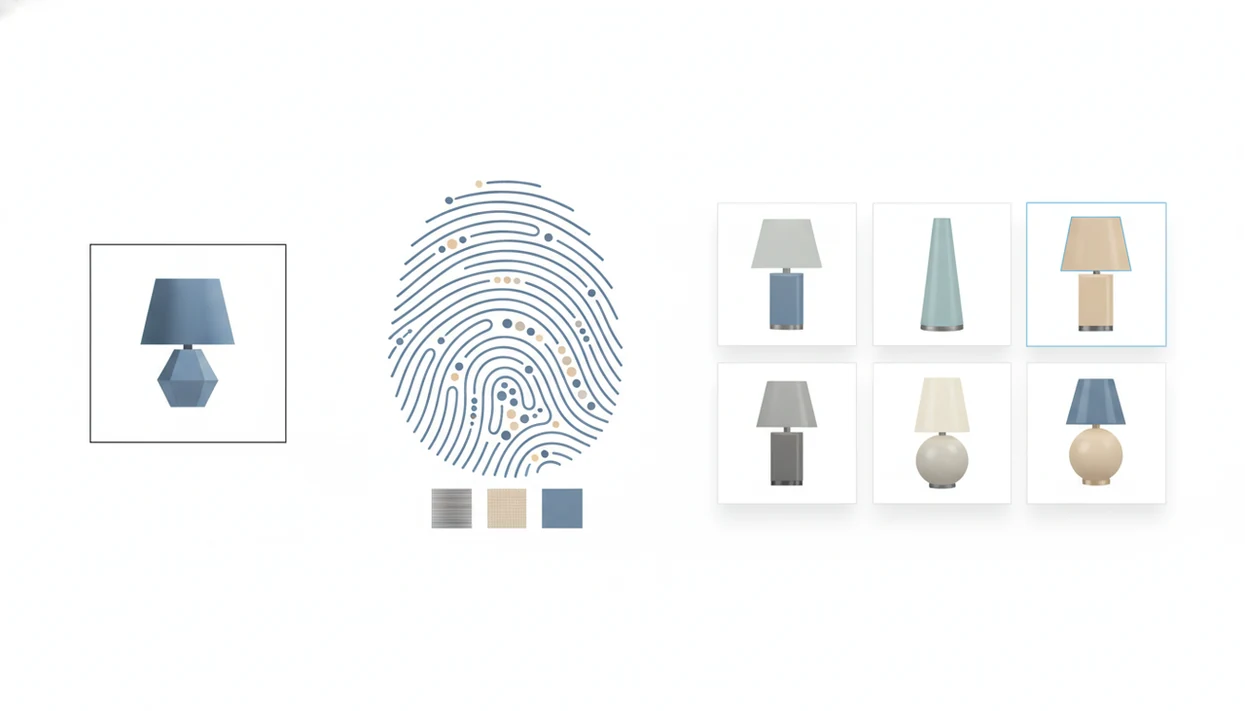
Visual product search works by turning a photo into machine-readable features, then comparing those features with indexed product listings. The technical version uses convolutional neural networks and embedding vectors; the plain-English version is “make the picture searchable by visual similarity.”
From Pixels To Product Listings
Most systems preprocess the image first. They may crop the object, reduce background clutter, normalize lighting, and extract features such as edges, logos, silhouette, color blocks, and material texture. A white-background product photo is easier than a paused outfit reel on a cracked phone, but both can still work if the product is visible enough. For a phone-first walkthrough, see how to find product by picture with phone.
Price-Comparison Layer After Identification
After AI identifies possible matches, Invy extends the pipeline with retailer feeds, pricing, delivery details, and stock status. If you need an app that identifies products from photos, the real value comes after recognition, when you can compare the same or similar options across stores. McKinsey reported that 79% of consumers have tried emerging shopping technologies such as visual search, voice commerce, or AR, but adoption still depends on whether the tool removes friction at the buying step (https://www.mckinsey.com/capabilities/growth-marketing-and-sales/our-insights/the-next-normal-in-retail-charting-a-path-forward).
How To Upload Image To Find Product In 5 Steps
Use a clean photo, isolate the item, then compare the matches before buying. The faster workflow is not just “identify the thing”; it is upload, review, compare, then check the seller page.
- Capture or select a clear photo of the item. Use a camera image, screenshot, saved social post, or product photo from your gallery grid full of product screenshots.
- Crop the image to isolate the product from background clutter. Remove extra people, furniture, text overlays, and nearby objects when possible.
- Upload the image into a visual search tool like Invy. For shoppers who need to upload photo to find product, Invy fits because the Shop By Image flow accepts saved images and camera captures.
- Review exact and similar matches returned by AI. Check product names, colors, materials, and retailer labels before trusting the first result.
- Compare prices, shipping, and availability across stores. A lower item price can lose to slower delivery or higher shipping.
Quick check. Size still matters.
Product Photos Vs Text Search On Mobile Shopping Trips
Image search beats typing when you can see the product but cannot name it. Think sunglasses reflected in a car window, a catalog page, a friend’s mug on an office desk, or a blurry Instagram Story screenshot saved before it disappears.
Text search still wins when you already know the brand, model number, size code, or technical spec. “Sony WH-1000XM5 black” is faster to type than crop. “Small green shoulder bag with crescent shape and silver buckle” is where visual search starts to earn its keep.
Mobile behavior pushes shoppers toward images. Statista reports that mobile retail e-commerce accounted for roughly 60% of global retail e-commerce sales in 2023 (https://www.statista.com/statistics/806336/mobile-retail-commerce-share-worldwide/), and Gartner has predicted younger shoppers will increasingly lean on visual and voice search over typed search by 2026 (https://www.gartner.com/en/newsroom/press-releases/2023-02-21-gartner-predicts-search-engine-volume-will-drop-25-percent-by-2026-due-to-ai-chatbots-and-other-virtual-agents).
Invy Visual Search Workflow For Product Photos
The workflow is built around a shopping sequence: start with the image, identify possible product matches, then compare stores before you buy. You can upload from your gallery or capture the item in the app, then review ranked matches with product names, images, and retailer labels.
If the exact item is expensive or sold out, similar options appear so you can keep the look without chasing one listing forever. The result showing the right color but the wrong size still needs a tap-through check.
On days when a price drop appears during a lunch break, the saved-item workflow earns its spot because scanned items can be saved for price-drop alerts and later comparison. Deloitte has reported that digital interactions influence 56% of in-store retail sales, which fits how people now compare a product on a phone while standing in a checkout line.
Find This Product From A Photo: Invy Vs Google Lens Vs Amazon Lens
The main difference is what happens after the item is recognized. Google Lens is broad, Amazon Lens is strongest inside Amazon, and Invy is shopping-focused because it carries the product match into multi-store price comparison.
| Tool | Multi-store comparison | Price alerts | Product categories | Free tier |
|---|---|---|---|---|
| Google Lens | Partial, through search results | No unified alert flow | Very broad: products, places, text, plants, more | Yes |
| Amazon Lens | No, mainly Amazon prices | Amazon-dependent | Strong for Amazon catalog items | Yes |
| Invy | Yes, across supported retailer feeds | Yes, for scanned or saved items | Apparel, decor, electronics, furniture, accessories, and more | Yes |
| CamFind | Limited shopping context | No standard deal-alert layer | General object recognition and search | Varies |
Shoppers who already plan to buy on Amazon may start with Amazon Lens. For anyone asking where to buy this product across stores, Invy is a cleaner fit because the workflow keeps retailer labels, prices, and availability in the same comparison view.
4 Common Myths About Finding Products By Picture
Myth 1: Image search always finds the exact item. Reality: it often returns close alternatives, especially when the product lacks a visible logo, model number, or unique pattern.
Myth 2: Visual search only works for fashion. Reality: shoppers use it for electronics, furniture, home decor, plants, accessories, and everyday household goods. A belt buckle zoomed from a street photo may work, but so can a lamp or desk chair.
Myth 3: You need one specific store’s app. Reality: general tools can search across retailers. If you want a tool that can recognize product from image, check whether it also compares stores after identification.
Myth 4: Uploads are always anonymous. Reality: privacy policies vary. Some services may log images or queries to improve systems, so review the data policy before uploading sensitive photos.
Small print matters here.
Related Invy Features For Image-Based Shopping
Invy works better when visual search is treated as a repeatable shopping workflow, not a one-off trick. You can save scanned items, set price-drop alerts, and keep cross-store wishlists for later comparison.
For users who collect screenshots from social media or messaging apps, screenshot import keeps the image-to-results flow short. Multi-angle scan can also help when the first photo hides the clasp, sole, label, or back panel. If your main goal is to compare prices from photo, those saved comparisons make it easier to return after delivery dates or prices change.
Understanding Results
Shop by image and visual product search can turn a photo into buyable matches, but a product finder is not proof that two items are identical. Use price comparison to narrow options, then verify the seller listing before buying.
Invy works best when
- Clear, bright photos with one main product
- Items with visible shape, color, logo, pattern, or texture
- Current retail products that appear in online catalogs
- Photos where the full item is visible, not heavily cropped
- Comparing similar listings by price, shipping, and availability
Invy may be less accurate when
- Blurry, dark, filtered, or cluttered images
- Vintage, handmade, niche, or unbranded items
- Photos with multiple objects in the same frame
- Lookalikes that differ in size, material, finish, or model
- Listings with outdated prices, stock status, or seller details