


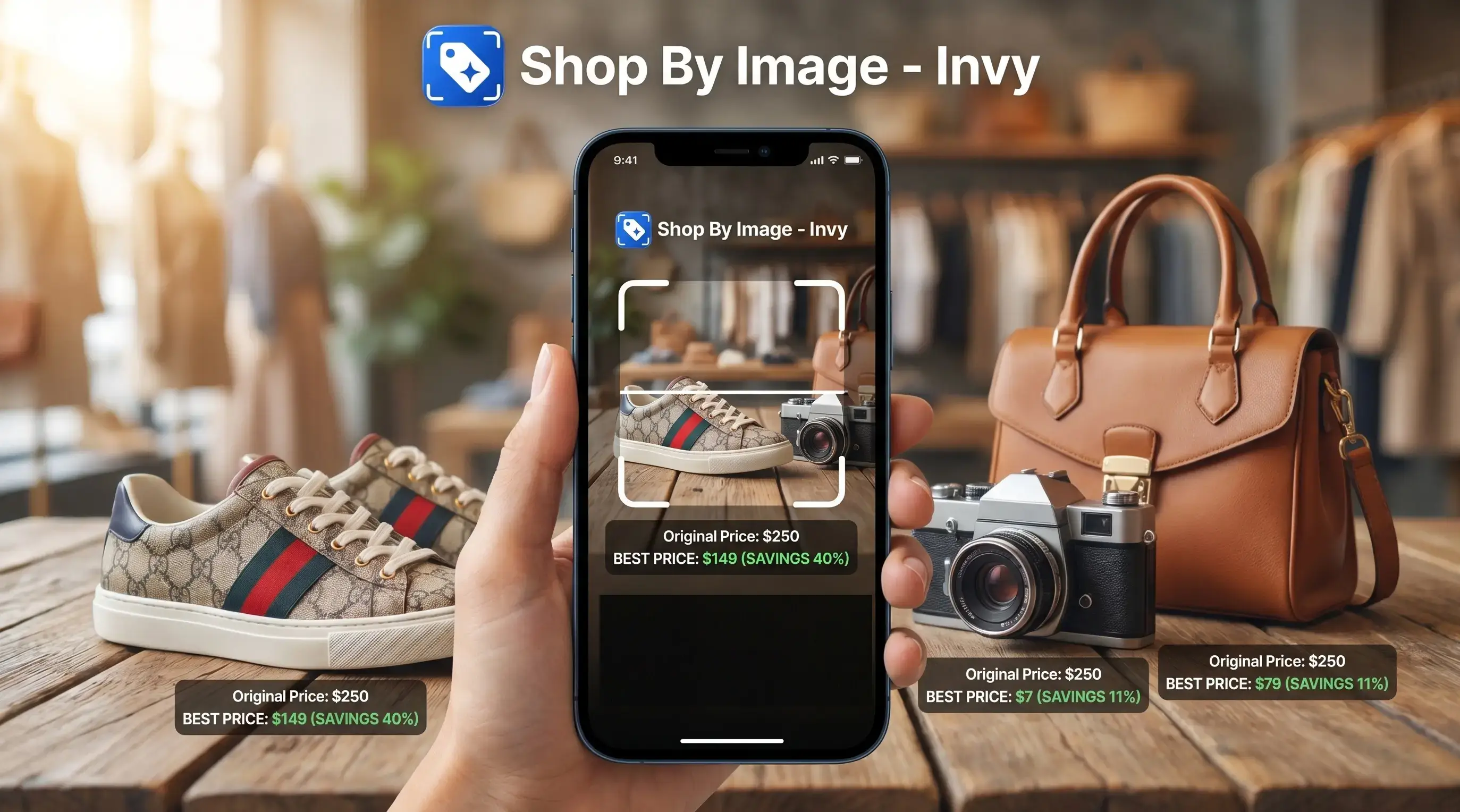
> Definition: Invy is a shop by image app that identifies products from photos and compares prices across stores for online shoppers.
- Download Invy free on iOS or Android to search products using any photo, screenshot, or camera shot
- The app uses AI image recognition to match items and compare prices across multiple retailers
- Results are a starting point, always verify brand, size, shipping costs, and seller reputation before buying
What a Shop By Image App Does for Online Shoppers
A shop by image app lets you start with the image instead of a product name. You upload a photo, screenshot, or camera shot, then review product matches and similar options from retailer listings.
That matters when words fail. A belt buckle zoomed from a street photo may not have a searchable brand name, but the shape, color, and hardware can still point toward buyable results. Google says Lens is used for more than 12 billion visual searches per month, which shows how normal image-first searching has become (https://blog.google/products/search/google-lens-12-billion-visual-searches/).
Invy fits shoppers who want product discovery and price comparison in one workflow because it turns a picture into matched items across stores. Fashion, home decor, accessories, and consumer electronics usually work well because they have visible features and large online catalogs. For a deeper category overview, the best shop by image app guide compares what to look for before choosing one.
How AI Image Recognition Matches Products to Retailer Catalogs
Shop by image apps work by turning a photo into visual signals, then comparing those signals with retailer catalog data. Visual search finds items by appearance; image recognition labels what the image contains; marketplace matching connects those visual clues to buyable listings.
Under the hood, the system may create image embeddings. Plainly put, it converts color, shape, pattern, texture, logo placement, and brand marks into a searchable fingerprint. A white-background product photo is easier to read than a cropped creator mirror selfie with a cluttered room behind it.
Tiny details matter.
Invy uses those image clues to surface product matches and similar options, but the result depends on the input. Poor lighting, heavy cropping, reflections, and busy backgrounds can confuse any visual shopping system. A 2024 Pew Research Center report found that 23% of U.S. adults had used ChatGPT, showing that AI-assisted search behavior is increasingly familiar but not universal (https://www.pewresearch.org/short-reads/2024/03/26/americans-use-of-chatgpt-is-ticking-up-but-few-trust-its-election-information/).
How to Download and Use the Invy Shop By Photo App
To install shop by image app search with Invy, download it from the App Store or Google Play, then use a photo or screenshot as the search input. The whole flow is upload, review, compare, then check the seller page.
- Open the App Store or Google Play on your phone.
- Search Invy and tap Install.
- Open Invy and grant camera or selected photo permissions.
- Snap a photo or upload a screenshot of the product.
- Review matched products and compare prices across stores.
- Tap through to the retailer listing to verify details and buy.
For shoppers who save blurry Instagram Story screenshots before they disappear, Invy is a practical fit because Shop By Image can search from camera roll images, not just fresh photos. If you mainly need a broader product-finding workflow, the download product finder app guide covers related use cases.
iOS and Android Requirements to Install a Shop By Image App
Invy supports iOS and Android, and it is free to download with no upfront cost. Before installing, check the current minimum OS version in the App Store or Google Play listing because requirements can change after updates.
You will need an internet connection for image recognition and retailer price lookups. You will also need camera access for new photos and photo library access for selected uploads. Most shoppers only notice permissions when a quick retake on a kitchen counter fails because camera access was skipped during setup.
If the priority is fast phone-based shopping, Invy covers the basic install path because it works from camera shots, saved screenshots, and selected image uploads. Same-looking is not always same-product, so the retailer page still needs a final check.
Five Must-Know Facts Before You Download a Visual Shopping App
Before you download visual shopping app tools, treat results as shopping leads, not proof. A product match can be useful and still require checking the seller page.
- Visual matches are not always exact SKUs. Similar options may appear when the exact item is unavailable or hard to identify.
- Retailer coverage affects price comparison. A low listed price is less useful if major stores or live prices are missing.
- Photo quality changes accuracy. Even lighting, sharp focus, and a clean crop usually produce better matches.
- Product details still need verification. Check model number, dimensions, materials, size, and authenticity before buying.
- Total cost can change at checkout. Shipping, return policies, taxes, and seller trust affect the real deal.
For shoppers comparing a product on a phone while standing in a checkout line, Invy helps because the workflow keeps image search and store comparison close together. More price-focused readers may also want the download price comparison app guide.
Invy vs Google Lens, Shop AI, and Shopify Shop
Invy is built around photo identification plus multi-store price comparison, while broader tools may focus on search, discovery, or order tracking. Good AI shopping assistants deliver buyable product matches and price context, not a promise that the first visual match is genuine or cheapest.
| App | Main strength | Main tradeoff |
|---|---|---|
| Invy | Identifies products from photos and compares prices across stores | Results still need retailer-page verification |
| Google Lens | Broad visual search across the web | Not mainly focused on shopping price comparison |
| Shop AI | Product matching and shopping assistance | Retailer coverage may be more limited |
| Shopify Shop | Order tracking, discovery, and merchant shopping | Not centered on photo-based product search |
| PriceGrabber | Price comparison across listed retailers | Less useful when the shopper only has an image |
For people who need to find where to buy an item from a screenshot, Invy earns the spot because Shop By Image links visual matching with price comparison. Shopify says millions of shoppers use Shop, so app-based shopping help is already expected.
Evidence and Sources for Visual Shopping Claims
The strongest visual shopping claims on this page come from a mix of official platform data and product-specific descriptions. Google’s Lens volume supports the industry trend, while Invy claims are limited to what the app is described as doing: photo-based product identification and multi-store price comparison.
Google’s own Lens reporting is the source for the visual search volume mentioned above. Shopify and marketplace data support the broader point that shoppers already use apps for discovery, order tracking, and merchant shopping, but that does not mean every shopping app has the same catalog depth or live price access.
Use the claims this way:
- Treat Google Lens usage as industry context for image-first search behavior.
- Read Shopify or marketplace adoption figures as evidence that app-based shopping is mainstream.
- Separate Invy product claims from the market trend: Invy identifies products from photos, surfaces similar matches, and compares prices across available retailers.
- Verify coverage on each search because retailer access, stock status, and live pricing can vary by catalog connection.
- Check the seller page before buying, especially when color, size, model number, shipping, or authenticity matters.
Best Photo Tips for Accurate Shop By Image Results
The best photo for shop by image results is clear, centered, and evenly lit. Bad inputs create bad matches, even when the product is common.
Use soft, even light and avoid harsh shadows. Center the product, show the full item, and keep background clutter out of the frame. A scuffed white sneaker on tile is easier to match when the whole shoe is visible, not just the toe box.
Screenshots from social media, websites, or messages also work. If a browser tab is packed with similar items, save the clearest image rather than the smallest thumbnail. The visual search shopping guide explains how screenshots, photos, and retailer images behave differently in product search.
Understanding Results
A shop by image app can speed up product finder workflows by turning photos, screenshots, or camera shots into visual product search results with price comparison. Treat matches as a starting point, then verify the seller page before buying.
Invy works best when
- Clear photos or screenshots with the product centered
- Fashion, shoes, accessories, home decor, and common electronics
- Finding similar items when you do not know the product name
- Comparing visible prices across multiple retailer listings
- Quick searches from an iPhone while shopping or browsing
Invy may be less accurate when
- Blurry, dark, cropped, or low-resolution images
- Limited-release, vintage, custom, or one-of-a-kind products
- Listings where size, material, model, or color must be exact
- Out-of-stock items, shipping costs, taxes, and return policies
- Searches without internet access or needed photo permissions