
How Does Shop By Image Work? Technical Matching Explained


Download for iPhone: product finder by image
This page is the technical guide to how shop by image works: detect the product in a photo, convert visual details into searchable signals, and match those signals against retailer catalogs. For real-world accuracy, testing limits, and when results fail, see does shop by image work.
Invy is a shop by image app that identifies products from photos and compares prices across stores for online shoppers.
- Shop-by-image tools use computer vision to recognize shape, color, pattern, logo, and category.
- Results depend on product catalog matching — clean product photos and structured attributes matter as much as the model.
- Stronger results usually come from clear, cropped photos of one product, followed by checking exactness, variants, seller, and price.
Shop By Image Meaning For Online Shopping
Shop by image means using a product photo, screenshot, or camera view to find buyable matches online. It is a retail search workflow, not a general promise to identify anything in an image.
In shopping, the goal is narrow: find the exact product, close product match, similar options, retailer listing, stock status, and price comparison. A blurry Instagram Story screenshot saved before it disappears can still start the search, but the result needs checking.
This is different from face search, identity search, plant identification, or broad web image lookup. For a deeper retail-only framing, the visual search shopping guide explains how product finding differs from ordinary image search.
Same-looking is not always same-product.
Before You Start: What Makes A Product Photo Searchable
A searchable product photo gives the tool one clear thing to match and enough visible clues to separate it from lookalikes. Before uploading, think like a catalog page: clean view, distinctive details, and no private information in the frame.
- Choose a photo where one product is the obvious subject, with as little background clutter as possible. A chair, mirror, hand, or second item can pull the search away from the target.
- Show the features that make the item recognizable, such as a logo, weave, leather grain, sole shape, buckle, zipper, stitching, hardware, or repeated pattern.
- Remove screenshots that reveal faces, home addresses, order numbers, payment details, or account information before you search.
- Keep backup clues ready in case the image match is broad: brand, material, size, color, model name, or where you first saw it.
- Expect stronger results when retailer catalogs already contain the exact item and variant. If the catalog only has lookalikes, the tool can only return lookalikes.
Computer Vision Product Search Workflow
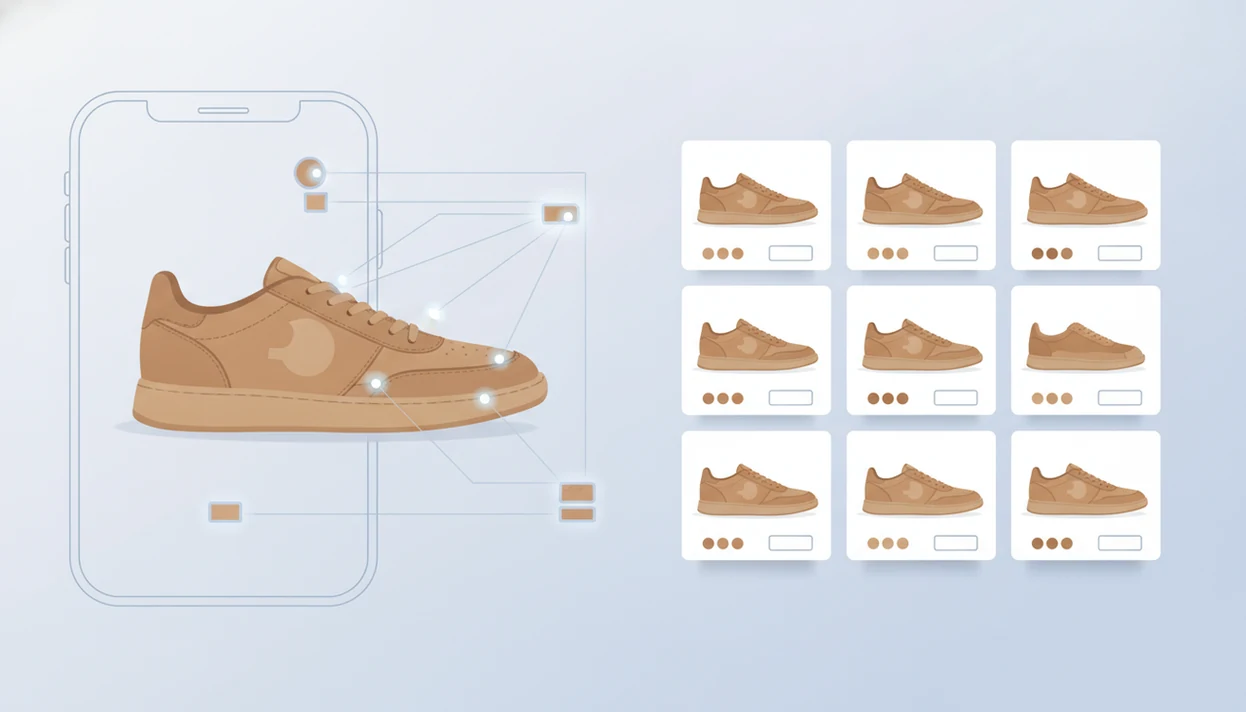
How does visual shopping work behind the screen? Object detection first finds the likely product area, then computer vision converts shape, color, texture, logo placement, and category clues into an embedding, which is a searchable numeric representation of the image.
The system compares that representation with catalog photos, product titles, categories, attributes, retailer data, availability, and price signals. Ranking is not only “what looks closest.” A retailer page with clear inventory, a matching color attribute, and current stock can outrank a visually close listing with thin data.
Google Lens is one familiar example of this workflow; Google says Lens is available through the Google app and supports searching what you see with a phone camera Google Lens overview. On a phone, the difference is obvious when a white-background product photo returns cleaner results than a cropped creator mirror selfie.
A useful AI shopping assistant or product finder app that identifies products from photos and compares prices across stores should deliver buyable leads and comparison clues, not proof that the first result is genuine or identical.
Five Facts About Computer Vision Product Search
- Computer vision product search starts by detecting the main object and extracting visual features such as silhouette, color, pattern, and visible logos.
- Shop-by-image results are often a mix of exact matches, close matches, and similar items because catalogs are incomplete.
- Product catalog matching depends heavily on catalog quality, including photos, titles, categories, and structured attributes.
- Cropping the photo to one item can reduce background noise and improve the odds of a useful product match.
- Shop by image works best for retail discovery and price comparison, not guaranteed universal identification.
A finger tracing a crop box edge can feel fussy, but it often removes the chair leg, mirror frame, or second shoe that was confusing the search. That small edit matters.
For accuracy expectations, the question of does shop by image work depends on the image and the catalog behind it.
Shop By Image Product Matching Steps
Use shop by image as a short buying checklist, not a one-tap decision. The goal is to upload, review, compare, then check the seller page before paying.
- Take or upload a clear product photo, screenshot, or camera image with the item visible.
- Crop tightly to the product so background objects do not compete with the target item.
- Review exact matches and similar options, paying attention to brand, model, material, and variant.
- Compare price, seller, availability, size, color, shipping cost, and return policy.
- Confirm the retailer listing before checkout, especially if a lower price appears beside a sold-out badge.
Amazon says Amazon Lens supports upload, camera, or barcode scan, which shows how modern visual shopping often blends image search with product lookup Amazon visual search help. Tools like Invy fit this same practical flow: start with the image, then verify the buyable result.
Exact Matches Vs Similar Products In Product Catalog Matching
Product catalog matching should be read in levels: exact match, close match, and similar item. Visual similarity alone does not prove the same brand, model, material, size, or variant.
| Result type | What it usually means | What to check before buying |
|---|---|---|
| Exact match | The listing appears to match the same product and variant | Brand, model number, size, color, seller, condition |
| Close match | The item shares key details but may differ in one or two ways | Material, trim, dimensions, pack count, model year |
| Similar item | The product has the same look or function, but is likely not identical | Whether price comparison is fair at all |
Catalogs show alternatives when the exact item is missing, out of stock, poorly indexed, or hard to separate from lookalikes. A zoomed screenshot of a tiny handbag can return the right color but the wrong size, which makes price comparison risky.
For shoppers, exact products support direct price comparison; similar items support option finding.
Catalog Data Quality In Computer Vision Product Search
Catalog data quality is the quiet half of computer vision product search. Clear product photos help image-to-image matching, but titles and attributes often decide whether the right item rises to the top.
Consistent titles separate “black ribbed knit midi dress” from “black sweater dress.” Structured attributes such as color, material, brand, category, dimensions, and model improve ranking because the system has more than pixels to compare. Inventory freshness also matters. The tiny out-of-stock label may only appear after tapping into the retailer page.
No model can return a product that is absent, hidden, mislabeled, or poorly indexed in the catalog. That is why a strong visual match can still lead to weak shopping results. The catalog has to know the product exists.
Visual Shopping Myths That Mislead Product Matching
These myths cause shoppers to overtrust visual results before checking the listing.
- Perfect identification myth: Shop by image does not identify every object perfectly from every angle, crop, or lighting condition.
- First-result myth: The top result may be a similar item, sponsored placement, or better-indexed listing, not the exact product.
- Catalog replacement myth: Visual search does not replace the product catalog; it depends on indexed photos, titles, attributes, and stock data.
- Blurry-photo myth: A dark or cluttered image usually performs worse than a clear shot of one product.
- Same-look myth: Visual similarity does not guarantee the same brand, model, variant, material, or quality.
A sneaker sole pattern under fluorescent light can be distinctive. But if the catalog only has side-view shoe photos, the match may still drift.
Shop By Image Price Comparison Use Cases
Shop by image matters when you do not know the product name, brand, model, or useful search terms. It can turn inspiration photos, social posts, screenshots, in-store finds, and fitting-room decisions into buyable options.
Price comparison works only after the match is truly comparable. If one listing is the exact jacket and another is only a similar cut, the lower price is not the same deal. Someone comparing a product on a phone while standing in a checkout line still needs to check size, color, seller, shipping, and returns.
Amazon says tens of millions of customers use Amazon Lens each month to find products visually Amazon visual search help. Google also supports refining Lens searches with “Add to your search,” which helps narrow results by words like “leather,” “men’s,” or “small” Google Lens visual search report.
The reverse image search vs visual shopping search distinction matters most when you want a retailer listing, not just a matching web image.
Understanding Results
Shop by image is a useful product finder shortcut, but visual product search is not proof of an exact match. Use results for candidates and price comparison, then verify the listing before buying.
Invy works best when
- Clear, well-lit photos with one main product
- Cropped screenshots that show shape, color, pattern, or logo
- Products with strong catalog images and detailed retailer data
- Finding similar options when the exact item is out of stock
- Comparing prices after confirming the same variant and seller
Invy may be less accurate when
- Blurry, dark, cluttered, edited, or heavily cropped images
- Generic basics and unbranded accessories with many lookalikes
- Small differences in trim, material, colorway, model year, or edition
- Items missing from retailer catalogs or listed with thin product data
- Listings that differ by size, condition, return policy, seller, or price
FAQ
How accurate is shop by image?
Shop by image accuracy depends on image clarity, catalog coverage, and how distinctive the product is. Clear photos of recognizable retail items usually work better than blurry, crowded, or generic images.
Can image search find exact products?
Yes, image search can find exact products when the item and variant exist in the catalog. It is not guaranteed if the catalog lacks the item, color, size, or model.
Why are my shop-by-image results only similar?
Results are often only similar when the exact product is unavailable, poorly indexed, or visually hard to distinguish. The system may rank lookalikes because they share shape, color, pattern, or category.
Does cropping a product photo improve image search?
Yes, cropping to the target product can reduce background noise and improve matching. It helps the system focus on the item instead of nearby people, furniture, packaging, or mirrors.
What photos work best for shop by image?
Clear, well-lit photos with one main product usually work best. The photo should show the full item plus key details such as texture, logo, pattern, sole, sleeve, or hardware.
Can shop by image compare prices?
Shop by image can support price comparison after it finds the same product or truly comparable alternatives. Apps such as Invy can help shoppers compare listings, but the buyer still needs to confirm seller, size, availability, and returns.
Does shop by image need product catalogs?
Yes, shop-by-image tools rely on indexed catalog images, titles, attributes, prices, and availability. Without catalog data, the system has little to match against for buyable results.
Is shop by image the same as reverse image search?
No, shop by image is retail-focused and tries to return products you can buy. Broad reverse image search looks across the web and may return articles, copied images, or visually related pages instead.
Can shop by image identify any brand?
No, brand recognition is limited by visible logos, distinctive design, metadata, and catalog coverage. Shop By Image tools can suggest likely products, but they do not guarantee brand, authenticity, or exact variant.