
Shop From a TikTok Screenshot and Find the Product


Download for iPhone: best price finder app
To shop from TikTok screenshot images, crop the item clearly, run a visual product search, compare exact and similar matches, then verify the seller, variant, shipping, and return policy before buying.
Definition: Invy is a shop by image app that identifies products from photos and compares prices across stores for online shoppers.
TL;DR
- Start with the clearest TikTok screenshot and crop tightly around the product, not the creator or background.
- Use visual search to find product from TikTok, then confirm logos, packaging, color, size, and other variant details.
- Compare prices across stores before you buy item seen on TikTok, because viral listings may be dupes, bundles, or affiliate offers.
TikTok Screenshot Shopping Meaning and Best Use Case
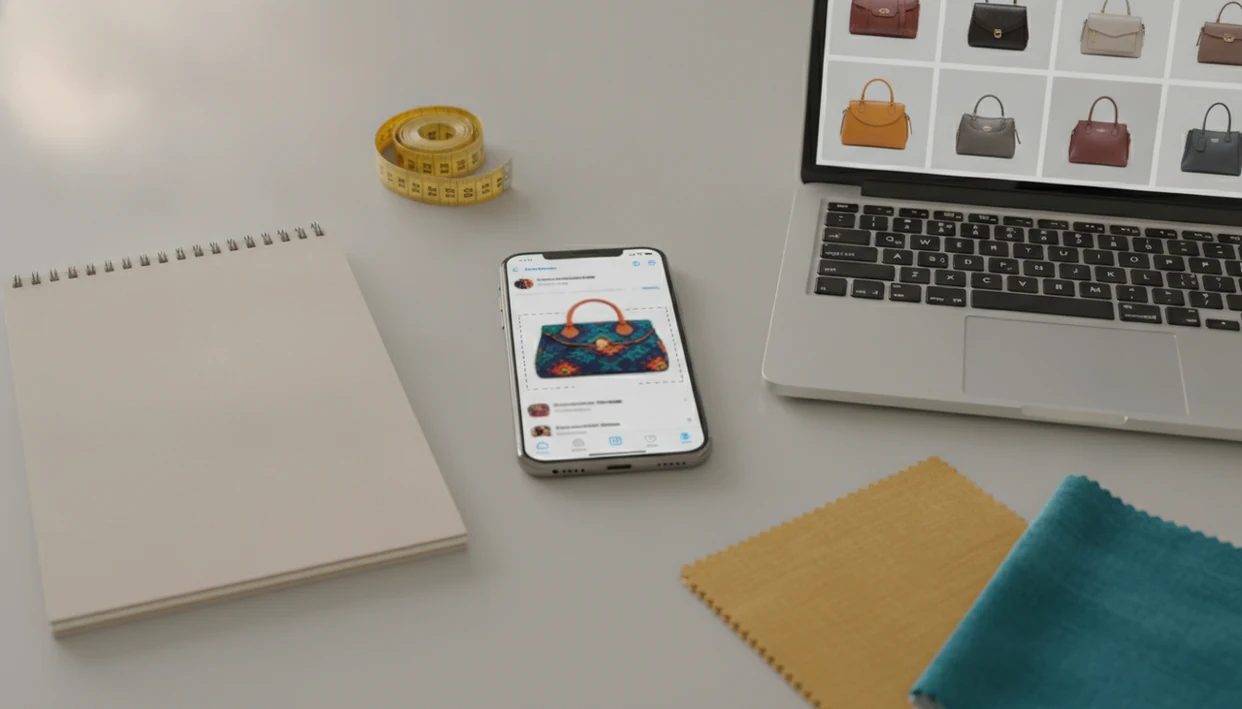
TikTok screenshot shopping means turning a saved frame from a TikTok video, LIVE, profile, or ad into buyable product matches. The shopper starts with an image, not a product name, then tries to identify the exact item or a close alternative.
The result can be an exact product, a near match, a dupe, or a TikTok Shop listing. TikTok Shop is TikTok’s built-in commerce system for products sold through in-feed videos, LIVE videos, and the Showcase tab, according to TikTok’s seller help documentation Ads reference.
A good AI shopping assistant and product finder app, such as Invy, should deliver product matches and offer checks, not proof that a viral item is genuine.
Same-looking is not always same-product.
How Shopping From a TikTok Screenshot Works
Shopping from a TikTok screenshot works because the image provides visual clues when you do not have the right search keywords. Instead of guessing the product name, the tool reads what is visible in the frame and turns it into possible shopping leads.
A tight crop helps because it removes noise: the creator’s face, caption text, comments, room background, and TikTok interface can all distract the match. Visual search then compares signals such as product shape, color, logo placement, packaging, printed words, and texture against catalog images. Some tools use image matching or embeddings, which simply means the picture is converted into a searchable visual summary. The ranked results are not proof that the item is authentic, official, or even the exact product from the video. They are leads to inspect. The final buyable match comes from seller verification: checking the product page, variant, reviews, returns, seller name, and total price before you purchase.
7-Step Workflow to Find a Product From TikTok
A screenshot-to-purchase workflow works best when you treat it like a buying check, not a single image lookup. TikTok is widely used; in a 2024 Pew survey, 38% of U.S. adults said they have used TikTok Pew Research image platform study, so viral product clips move fast.
| Stage | What to do | What to check |
|---|---|---|
| Screenshot | Save the clearest frame | Full product, low blur |
| Crop | Isolate the item | Remove captions and clutter |
| Search | Run visual search | Product shape, logo, text |
| Match | Review results | Exact and similar options |
| Compare | Check stores | Price, shipping, stock status |
| Verify | Open seller pages | Reviews, returns, seller name |
| Buy | Choose carefully | Same variant and terms |
For TikTok finds, this workflow is often better than guessing keywords because the screenshot carries shape, color, packaging, and style clues.
Visual Search Signals in a TikTok Screenshot
Visual search works by reading visible product signals from the screenshot, then comparing them with product catalogs. It looks at shape, color, logos, packaging, printed text, texture, and surrounding context.
Under the hood, many systems use image embeddings, which are compact summaries of what the image appears to show. In plain terms, the tool turns the picture into searchable visual clues, then ranks likely product matches. A white-background product photo usually gives cleaner signals than a cropped creator mirror selfie.
Still, a TikTok screenshot often needs help. Add creator context, check comments, search a spoken brand name, or open TikTok Shop links when they appear. Visual matches can be similar products rather than exact products, especially for generic fashion, beauty, and home items. For broader image matching after TikTok, the same logic applies when you find similar products by image.
TikTok Screenshot Quality Checklist Before Product Search
Use the sharpest screenshot you can get before starting product search. A clearer frame gives the matching tool more product signals and fewer distractions.
- Full product visibility matters: Choose a frame where the item is not covered by captions, stickers, hands, or profile buttons.
- Multiple angles help: Save more than one frame if the video shows a front view, side view, label, sole, clasp, box, or close-up.
- Context clues are useful: Keep the creator name, hashtags, pinned comment, spoken brand name, packaging text, and visible store links.
- Image damage lowers confidence: Blur, filters, compression, motion, and heavy zoom can turn an exact product into a vague dupe result.
- Tight crops improve search: Crop around the item, not the creator, room, pet, or background shelf.
A blurry Instagram Story-style save before it disappears can still work, but expect more false matches.
6 Steps to Use a TikTok Screenshot to Find and Buy the Item
Here is the main how-to-use workflow for turning TikTok screenshot shopping into a buyable result. Keep each step boring and specific; that’s how you avoid the wrong listing.
- Choose the clearest frame from the TikTok video, LIVE replay, profile, or ad.
- Crop tightly around the product so captions, faces, comment bubbles, and background clutter are removed.
- Upload the image to a shop-by-image tool, such as Google Lens, Amazon Lens, or Invy, if you want product identification and price comparison across stores.
- Review exact matches and similar options, checking logos, packaging, color, material, size, and model details.
- Compare prices across retailer listings, including shipping, discounts, stock status, and delivery windows.
- Verify the seller page before purchase, including reviews, return policy, quantity, condition, and final checkout total.
For phone-first shoppers, a dedicated app to help me shop from screenshot can reduce tab-hopping.
Exact TikTok Product Match vs Similar Dupe Results
Not every screenshot result is the item from the video. The useful question is whether the listing is exact enough for your reason to buy.
| Result type | What it means | How to verify it | When to buy it |
|---|---|---|---|
| Exact match | Same product and variant | Match brand, model, size, color, packaging | When seller terms also check out |
| Close match | Similar design, different detail | Compare materials, dimensions, photos | When small differences do not matter |
| Dupe | Lookalike from another brand | Check claims, reviews, and return policy | When you want the look, not the brand |
| Bundle | Multiple items or a set | Confirm quantity and included pieces | When the video shows the same bundle |
| False positive | Unrelated item with similar visuals | Open the page, not just the thumbnail | Usually avoid |
Creators may link a different variant, affiliate offer, or marketplace listing from what appears in the clip. The cheapest visual match is not always the strongest value because size, seller, and return terms can change the deal.
TikTok Shop Links vs Screenshot Shopping Across Stores
TikTok Shop can be the shortest path when the creator or seller links the exact item. It supports direct selling through in-feed videos, LIVE videos, and Showcase tabs, and industry coverage has reported TikTok Shop as having 500k+ merchants Marketplacepulse reference.
| Buying route | Strength | What to check |
|---|---|---|
| TikTok Shop link | Fast in-app purchase | Same variant, color, size, bundle, and seller |
| Screenshot visual search | Broader store coverage | Exact vs similar matches across retailers |
| Price comparison | Better final-cost view | Shipping, discounts, returns, and delivery time |
| Comments and captions | Extra product clues | Brand names, restocks, creator corrections |
Screenshot shopping across stores is useful when the TikTok Shop link is missing, sold out, overpriced, or unclear. That tiny out-of-stock label often appears only after you tap into the retailer page. For a wider workflow, shop by screenshot covers the same process beyond TikTok.
Common TikTok Screenshot Shopping Mistakes
The biggest TikTok screenshot shopping mistakes happen when shoppers treat visual similarity as proof. A search result showing the right color but the wrong size can still look convincing in a small thumbnail.
- The exact-match assumption: A visual match may be a dupe, a different seller listing, or a nearby style.
- The variant skip: Size, color, scent, shade, voltage, quantity, and bundle details can change the product.
- The cheap-first buy: The lowest price may have slow shipping, no returns, weak reviews, or a misleading photo.
- The virality shortcut: Views and creator excitement do not prove quality, durability, safety, or authenticity.
- The edited-video problem: Videos can hide brand names, use filters, or show products in staged ways.
Before buying, compare the total cost and seller reputation. If the main concern is price, a tool to compare prices from screenshot is more useful than opening only one viral link.
Buyer Verification Checklist Before You Buy Item Seen on TikTok
Before you buy item seen on TikTok, compare the screenshot against the full product page, not only the search result thumbnail. Small listing differences are where most bad buys start.
- Product identity: Match brand, model name, logo placement, packaging, material, and visible text.
- Variant details: Confirm size, color, shade, scent, quantity, condition, and included accessories.
- Seller signals: Check seller name, rating pattern, review photos, complaint themes, and marketplace history.
- Purchase terms: Compare shipping time, return window, restocking fees, warranties, and final checkout price.
- Authenticity clues: Be cautious with luxury, beauty, supplements, electronics, and safety-related products.
Price comparison is only useful when the same variant, size, quantity, condition, and seller terms are being compared. A $14 viral tumbler can become a $27 purchase after shipping, or arrive without the lid, straw, or color shown in the clip. Social proof can point you toward a product, but it should not replace purchase verification. The pocket check in a checkout line is real.
Understanding Results
Shop by image can turn a TikTok screenshot into product finder leads, but visual product search is not proof of the exact item. Use price comparison only after checking the seller page, variant, shipping, and return policy.
Invy works best when
- Clear screenshots with the product fully visible
- Tight crops that remove captions, stickers, and TikTok UI
- Distinctive items with logos, packaging, colors, or patterns
- Comparing exact matches and close dupes across stores
- Checking viral products before buying from an affiliate or TikTok Shop link
Invy may be less accurate when
- Blurry frames, filters, motion blur, or compressed video stills
- Items partly covered by hands, text overlays, creators, or backgrounds
- Generic products where many listings look the same
- Trend items that are dupes, bundles, or no longer available
- Price comparisons with different sizes, colors, quantities, or seller terms
FAQ
Can TikTok identify products from a screenshot?
TikTok may show TikTok Shop links when a seller or creator has linked a product, but it does not always identify products from screenshots. A visual search tool can help find exact or similar matches outside TikTok.
How do I find products I saw on TikTok?
Save the clearest screenshot, crop the product, run visual search, check TikTok Shop links, read comments for clues, and compare retailer listings. Confirm the exact variant before buying.
Does TikTok notify creators when I take a screenshot?
TikTok generally does not notify creators when someone takes a screenshot of standard videos or profiles. Privacy features can change, so check TikTok’s current app behavior for specific content types.
Can I buy the product directly from TikTok Shop?
Yes, some products can be purchased through TikTok Shop where it is available and linked by sellers or creators. Confirm the listing matches the item shown in the video.
Why are my TikTok screenshot product matches not exact?
Visual search may return similar products when the screenshot is blurry, cropped, generic, filtered, or missing brand details. Catalog coverage also affects whether an exact product appears.
How should I crop a TikTok screenshot for product search?
Crop tightly around the product and remove faces, captions, buttons, backgrounds, and clutter. Keep visible logos, labels, packaging text, and distinctive shapes inside the crop.
Are TikTok product dupes safe to buy?
Dupes vary by seller and category, so check materials, reviews, return terms, safety claims, and seller reputation. Avoid products with risky health, electrical, or authenticity claims unless verified.
How do I compare prices for the same TikTok product?
Compare the same variant, size, color, quantity, condition, shipping cost, seller terms, and return policy. Tools such as Invy or other Shop By Image apps can help organize listings, but final verification is still needed.