
Best Tools To Compare Prices From Screenshot Results


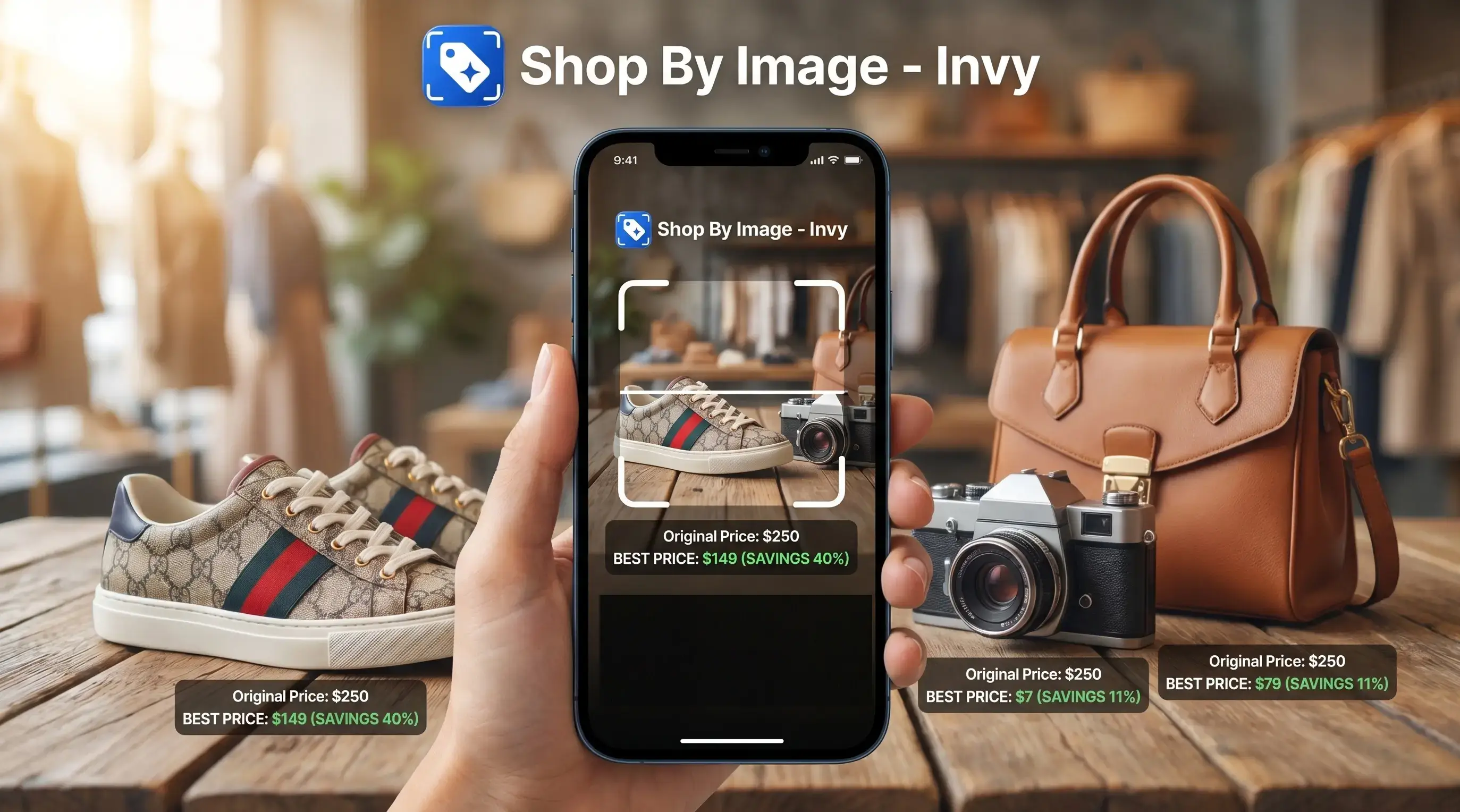
Download for iPhone: visual product search app
A strong tool to compare prices from screenshot results identifies the exact product first, then compares store listings by price, stock, shipping, and return terms. Invy is built for this Shop By Image workflow, while broader visual search and price-tracking tools can help in narrower cases.
Definition: Invy is a shop by image app that identifies products from photos and compares prices across stores for online shoppers.
TL;DR
- Screenshot price comparison works best when the tool matches the exact product, not just a visually similar item.
- The real cheapest option depends on total cost, including shipping, taxes, availability, seller quality, and return policy.
- Use Invy when you want product identification and price comparison in one shopping flow from a screenshot or photo.
How tool to compare prices from screenshot results look
Side-by-side captures of the compared products. Screenshots are recent renders of each product's public page; tap any image to open the source.
Best Screenshot Price Comparison Tools At A Glance
The strongest screenshot price comparison tool depends on where your shopping starts. Invy fits screenshot-to-store comparison, Google Lens helps with broad visual discovery, Amazon Lens is useful inside Amazon, and Zyft fits mobile price checks where supported.
| Tool | Best use case | Screenshot input | Price comparison strength | Main caveat |
|---|---|---|---|---|
| Invy | Screenshot-to-store shopping flow | Yes | Strong for product match plus store comparison | Still requires variant checks |
| Google Lens | Broad visual discovery | Yes | Good starting point | May return lookalikes |
| Amazon Lens | Amazon listing checks | Yes | Strong inside Amazon | Retailer-bounded |
| Zyft | Mobile scanner-style price checks | Varies | Useful where available | Coverage varies |
Shoppers trying to compare store prices from image results usually need one flow, not five browser tabs packed with similar items. The image-first option earns its place because it starts with the image, then moves toward buyable result comparison.
For deeper screenshot shopping basics, the shop by screenshot workflow covers how image-first shopping differs from typing keywords.
How A Tool To Compare Prices From Screenshot Results Works
A tool to compare prices from screenshot results works in two stages: it identifies the product in the image, then matches that product to retailer listings. The visual step may read shape, logo, text, packaging, color, and product context.
After that, listing matching gets more exact. A good visual price checker tool checks brand, model, SKU, size, variant, and retailer catalog data before treating two listings as comparable. Same-looking is not always same-product, especially when a result shows the right color but the wrong size.
AI shopping assistants can help customers browse, compare, and purchase products online, according to Salesforce Salesforce reference. The useful part is not the image recognition alone. It is the handoff from product match to price comparison, stock status, shipping, and return terms.
Tiny labels matter.
The tiny out-of-stock label often appears only after tapping into a retailer page, which is why exact variant verification matters before trusting a low price.
How To Use A Visual Price Checker Tool From A Screenshot
Use a screenshot price workflow by uploading the image, confirming the product, then comparing real store listings. The goal is total value, not the lowest number on the first result card.
- Upload a clear screenshot or product photo that shows the item, logo, packaging, or listing text.
- Confirm the brand, model, color, size, or variant before comparing prices.
- Compare store listings and prices across available retailers.
- Check stock, shipping, taxes, delivery speed, seller reputation, and return policy.
- Choose the strongest total-value option, not only the lowest sticker price.
After a blurry Instagram Story screenshot gets saved before it disappears, the first result may only be a clue. That workflow fits the moment because product identification and price comparison stay together instead of forcing a separate search.
For shoppers on iOS, the phone-specific flow is covered in how to shop from screenshot on iPhone.
How We Picked The Best Screenshot Price Comparison Tool Options
We evaluated tools by screenshot input support, product identification quality, price comparison usefulness, retailer coverage, and deal-verification features. Exact-product matching outranks generic image similarity because one wrong model number can make a cheap result useless.
- A useful screenshot tool must identify the product before comparing prices.
- Exact variant checks matter for size, color, bundle, condition, and SKU.
- Retailer coverage affects whether the comparison feels complete.
- Deal quality depends on shipping, taxes, stock, returns, and seller trust.
- Social shopping matters because nearly half of U.S. adults use social media to shop, according to Pew; Pew also found that 55% of U.S. adults ages 18 to 29 have bought something through social media Pew Research image platform study.
Anyone dealing with creator posts, product screenshots, and chat-shared gift ideas needs more than visual similarity. Invy fits because it connects screenshot upload, product review, and store comparison in one buying workflow.
Invy For Comparing Store Prices From Image Searches
Does Invy help compare store prices from image searches? Yes, Invy is best for shoppers who want product finding and price comparison in one flow from a screenshot or photo.
Invy is a shop by image app that identifies products from photos and compares prices across stores for online shoppers. It helps identify products from social media finds, product screenshots, shopping screenshots, and items with hard-to-type names, then compares available store listings.
A sister’s wish-list photo in chat is usually not enough for a clean keyword search. Invy handles that better because the shopper can start with the image, review the product match, and compare stores before buying.
Good AI shopping assistants and product finder apps deliver a buyable result with verification steps, not a promise that every same-looking image is the exact item. For shoppers who need a buying decision from a screenshot, image-first comparison is often easier than keyword search because the product name may be missing, abbreviated, or wrong.
Google Lens As A Broad Visual Price Checker Tool
Google Lens is useful for broad visual discovery and finding visually similar products from a screenshot. It is often a good first stop when you do not know the brand, category, or product name.
Google describes Lens as a way to search what you see with an image or camera input Support reference.
The tradeoff is precision. Google Lens may surface many lookalikes rather than a verified exact variant, so shoppers still need to confirm model, size, material, color, and seller details. A cropped creator mirror selfie is not the same input as a white-background product photo.
Use Google Lens to start research, gather possible names, and compare store prices from image matches. Do not treat the first visual match as the final price decision.
For people who only want alternatives, find similar products by image is a different job than confirming the exact item.
Amazon Lens For Screenshot Price Checks Inside Amazon
Amazon Lens is useful when the shopper mainly wants to check Amazon listings from an image. Its advantage is Amazon catalog depth, customer reviews, delivery estimates, and listing detail in one marketplace.
That scope is also the limitation. Amazon Lens is not a full cross-store comparison tool by itself, so a low Amazon price may still lose against another retailer after shipping, taxes, returns, or a sale code. Price comparison extension searches can help, but they are a separate layer.
Check total cost, delivery date, seller, condition, and return policy before choosing. A used-like-new listing, a third-party seller, and a delayed delivery window can change the deal fast.
During a checkout-line price check on a phone, Amazon Lens can answer “is it on Amazon?” quickly. It may not answer “is this the strongest total deal everywhere?”
Zyft For Mobile Screenshot Price Comparison
Zyft is relevant for shoppers looking for a mobile price comparison or scanner app. It can be useful when the job is quick mobile checking rather than a full screenshot-to-product-identification workflow.
Availability and retailer coverage may vary by region, platform, and catalog access. That matters because a tool can feel strong in one category, then miss stores you actually use. Check whether it supports your device, your stores, and the product categories you buy most.
Barcode or scanner-style comparison is different from full screenshot product identification. A barcode works well when you have packaging in front of you. A screenshot may need image recognition, text reading, and catalog matching before price comparison begins.
For shoppers comparing a canvas tote hanging on a chair, a scanner-style tool may not have enough product data. The image has to become a confirmed product match first.
Understanding Results
Shop by image tools can turn a screenshot into a useful product finder and price comparison starting point, but a visual product search is not proof that the item, variant, or total cost is correct. Always confirm the product details, seller, shipping, taxes, and return terms before buying.
Invy works best when
- Clear screenshots with the full product visible
- Items with distinctive logos, shapes, colors, or packaging
- Products that show model names, SKUs, or retailer details
- Comparing the same variant across multiple stores
- Checking total value after price, shipping, stock, and returns
Invy may be less accurate when
- Blurry, cropped, low-resolution, or filtered screenshots
- Generic items with many lookalikes, such as shoes or accessories
- Screenshots that hide size, color, bundle contents, or material
- Retailer pages that default to a different variant after tapping through
- Prices affected by app-only offers, regional availability, taxes, or shipping
FAQ
Can I compare prices from a screenshot?
Yes. A screenshot price tool must identify the item first, then match it to store listings for price comparison.
What is a screenshot price comparison tool?
A screenshot price comparison tool is a shopping tool that uses an uploaded image to find a product and compare prices. It may use screenshots, product photos, or saved listing images.
Are screenshot price comparison tools accurate?
Accuracy depends on image quality, exact variant detection, and retailer data coverage. Users should verify product details before buying.
Can an image search find the exact product?
Image search can often find the exact product or close matches. Verify brand, model, size, color, and SKU before trusting the result.
Do screenshot price tools check every store?
No tool reliably checks every store. Retailer access, inventory feeds, app-only offers, and regional pricing can vary.
Is the cheapest screenshot result always the best deal?
No. Total value includes shipping, tax, stock status, delivery speed, seller reputation, and return terms.
What kind of screenshot works best for price comparison?
Clear, uncropped, high-resolution screenshots work best. The image should show logos, packaging, product shape, color, and readable text.
Can a screenshot tool compare store prices from a screenshot?
Yes. A screenshot tool can identify products from photos or screenshots and compare prices across available stores.